


The country detail screen
Bounded TeamUpdated October 13, 2026
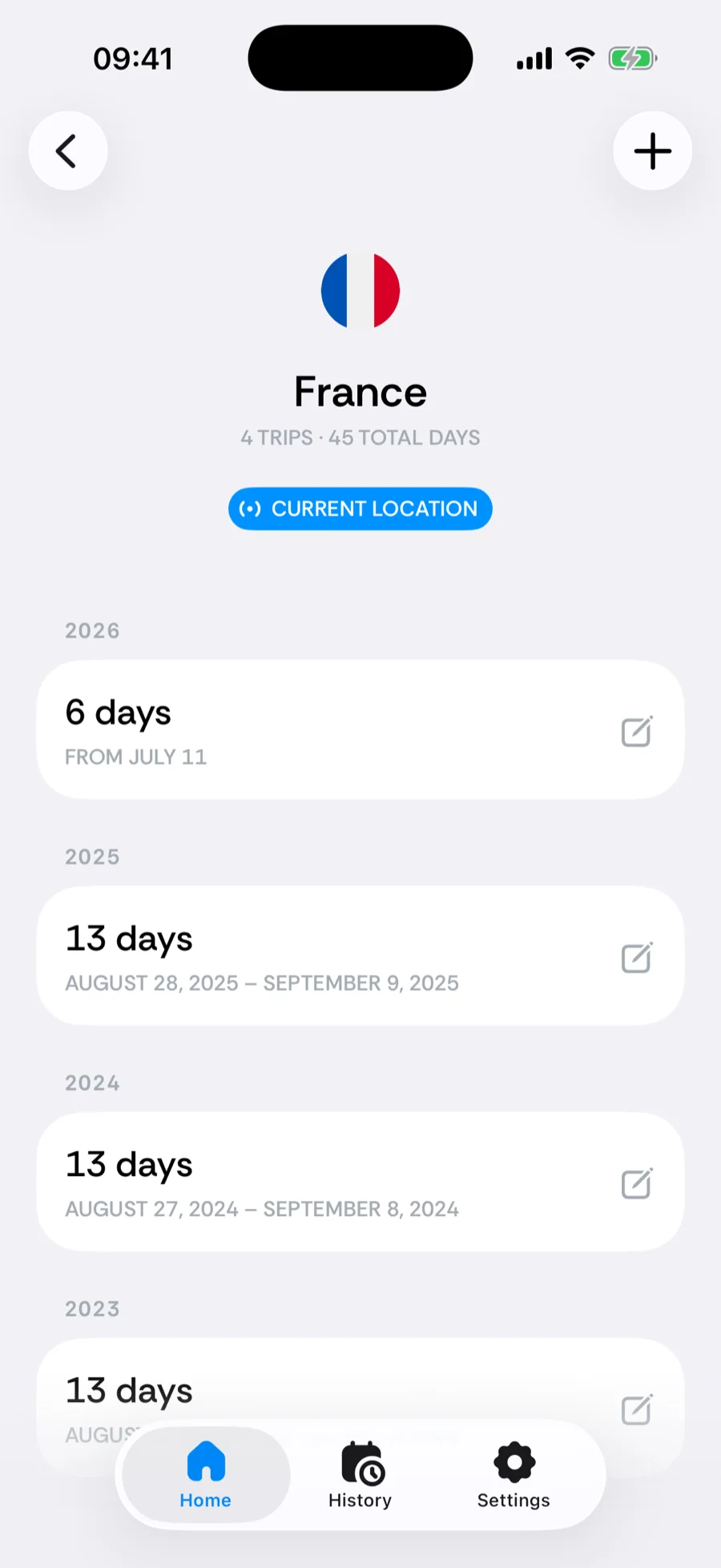
Tap any country — in the History list, the residence card, a counter breakdown, or Your top — and you land on its detail screen: every trip you have ever made there, grouped by year.
What's on it
- The header — the country’s flag, total trips, and total days. A Current location badge appears when you are there right now.
- Trips by year — each stay with its dates and length; stays under a day (border-crossing days) show as < 24 hours.
- Editing — tap a trip to change its dates, or swipe left to Delete trip. To add one, tap the + in the tab bar and choose Log a trip or Plan a future trip: the editor opens with this country already picked. On iOS 18, use the + at the top right of the screen instead.
The United States view
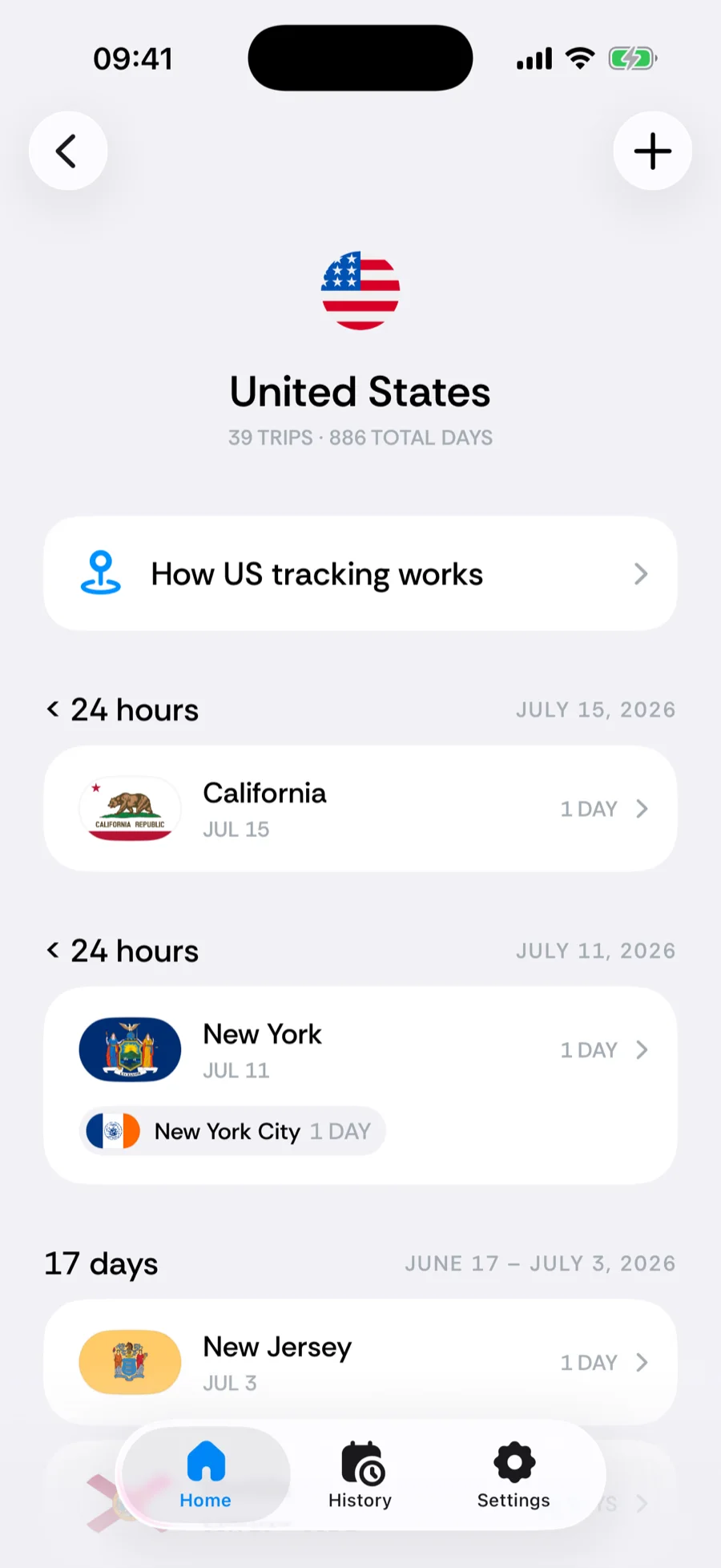
The US detail goes one level deeper: trips carry their state and city, so a single US stay can show as a run of state segments — New Jersey, then Florida, then Texas — each with its own day count. A How US tracking works explainer sits at the top of the screen.
Was this article helpful?
Related articles
Can’t find what you’re looking for? We answer every message.
Contact support