


How to track US states and cities
Inside the United States, country-level counting is not enough: states run their own tax-residency tests — New York, California, and many others treat you as a resident after 183 days plus a permanent home — and New York City taxes city residents separately. Bounded tracks your US days at the state and city level so those rules get real numbers too.
How US days are tracked
When you are in the US, Bounded resolves your location one level deeper — to the state (all 50, plus DC and the territories) and, where city rules exist, to the city. This happens automatically for both GPS tracking and the photo scan; when adding a trip manually, you can set the state and city yourself.
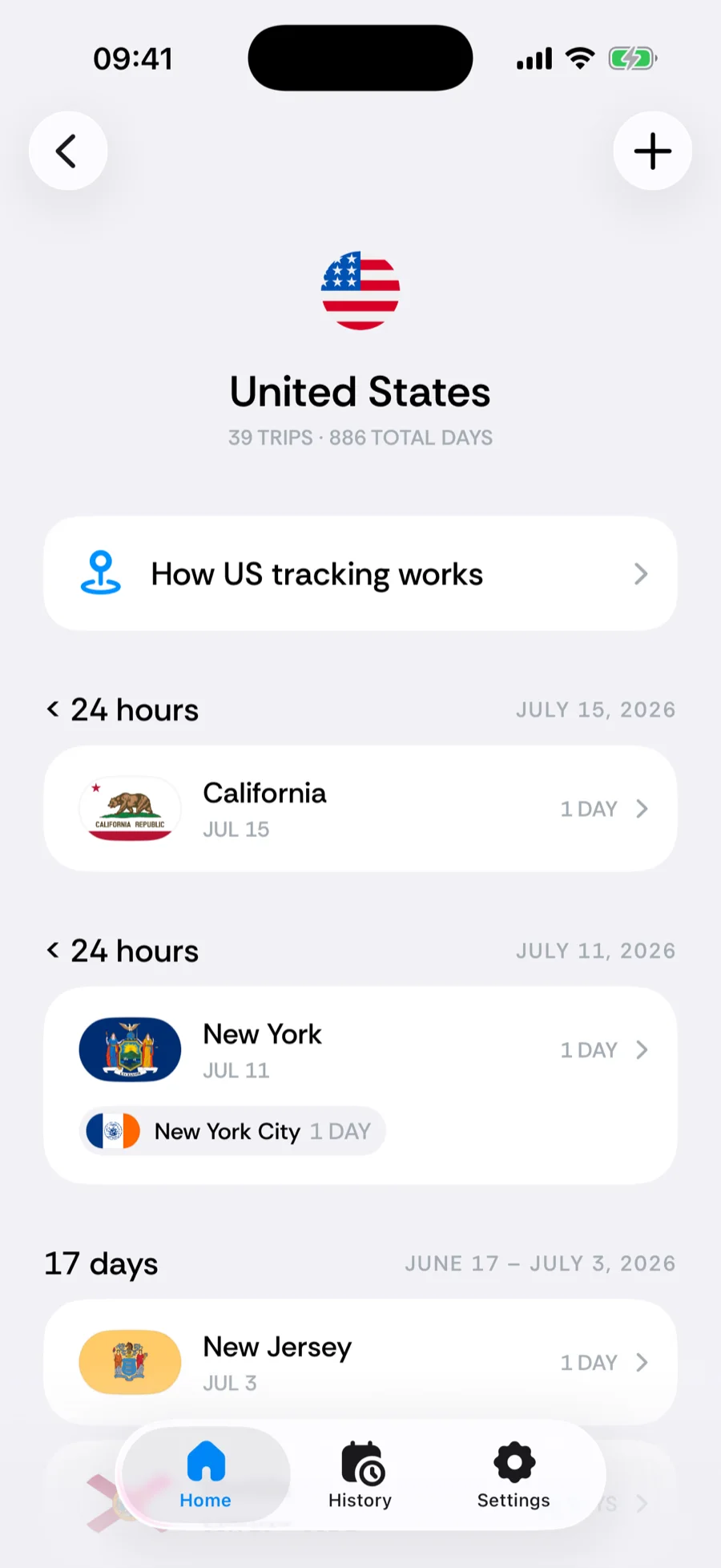
State and city counters
The Tax tab of the counter picker includes 28 US state rules — New York, New Jersey, California, Hawaii, and more — plus New York City and Yonkers city rules and statutory safe harbors (like New York’s and Connecticut’s). Add one and it counts only your days in that state or city.
- City-level day counting currently covers New York City and Yonkers — the two with their own resident income taxes.
- Some state tests depend on more than days (a “permanent place of abode,” domicile ties). Bounded tracks the day-count side precisely and flags the parts that need your own assessment.
Backfilling state history
Started using Bounded before state tracking existed? Bounded offers to rebuild your past US days at the state and city level from your photos — accept the Restore city & state history prompt, or re-run the scan any time via You → Your data → Re-sync from photos.
Related articles
Can’t find what you’re looking for? We answer every message.
Contact support