


Day counters and built-in rules
A day counter tracks one rule against your travel timeline — how many days you have used, how many remain, and when the window resets. Add the Schengen 90/180 counter and Bounded continuously answers “how many Schengen days do I have left?” without you counting anything.
Adding a counter
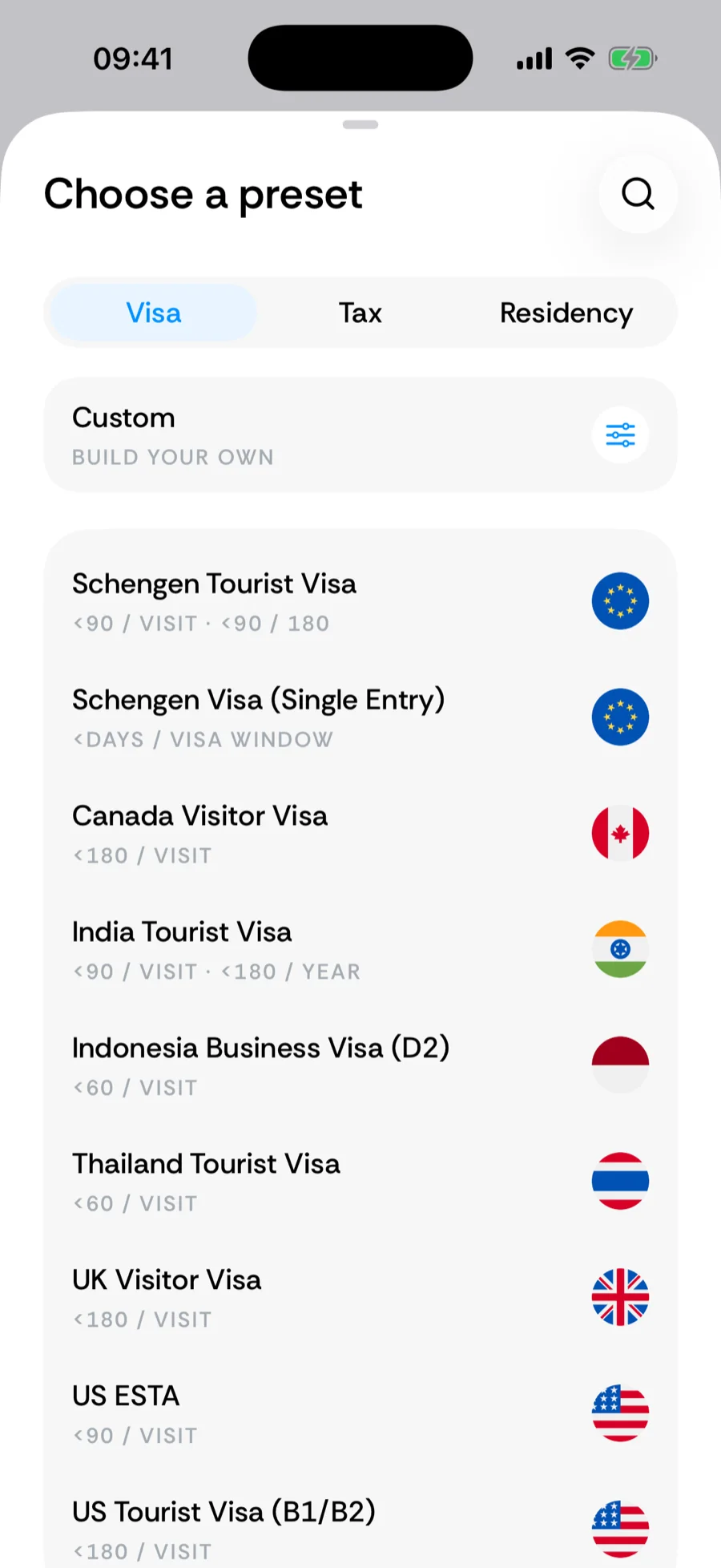
Tap the + in the tab bar and choose Add a counter (iOS 26 or later; see the quick-add menu). While the Track the rules that matter card is on the Home tab, its suggested counters and Browse all counters link open the same catalog. The catalog is organized into Visa, Tax, and Residency tabs, with a Custom row at the top to build your own. Not sure where a rule lives? Tap the search icon and type into Search counters — matches are highlighted, and if nothing turns up you can request the counter right there.
What the built-in counters cover
Bounded ships with nearly 150 built-in counters. A sample of what is in the catalog:
- Visas — Schengen Tourist Visa (90/180 rolling), UK Visitor Visa, US ESTA and B1/B2, and many more per-visit limits.
- Tax residency — generic 183-day rules (avoid or become a tax resident), country counters like UK Tax Residency (April 6 tax year), US Tax Residency (the weighted Substantial Presence Test), UAE, Cyprus 60-day, Portugal NHR, US FEIE (330 days abroad), and over 30 US state, city, and safe-harbor rules.
- Residency & citizenship — absence caps that protect a US Green Card, UK ILR or Settled Status, Canadian PR, and presence requirements toward naturalization.
Reading a counter card
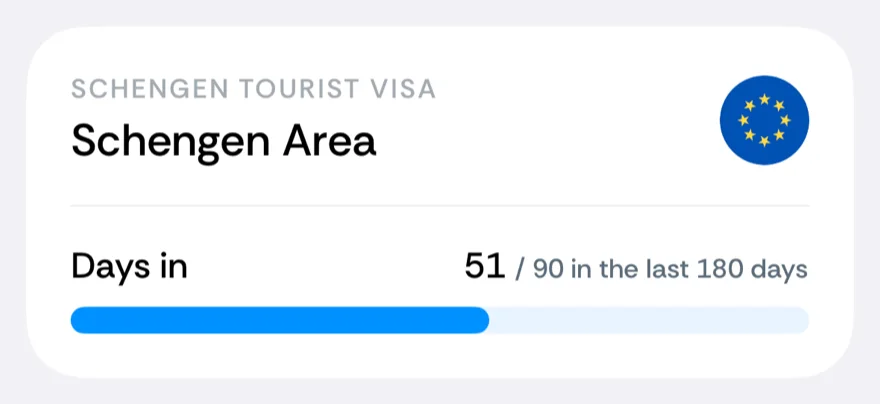
Each counter on Home shows its region and flag, the day count against the threshold — for example 51 / 90 in the last 180 days — and a progress bar:
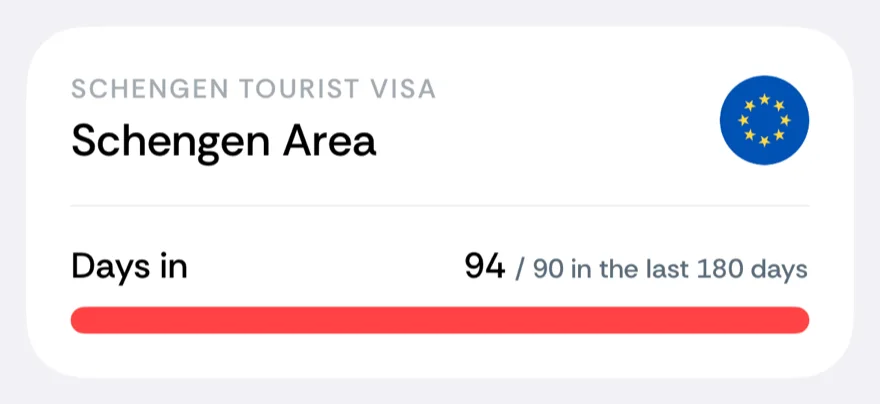
For a stay-under rule, the bar turns red and the card is badged Overstayed once the cap is exceeded:
Reach-at-least goals — qualifying for tax residency, meeting a naturalization presence requirement — work the other way round: the bar turns green and the card shows Reached once the floor is met, and it is never labeled Overstayed. Rules with an expiry (like a visa window) show when they expire, highlighted as the date approaches. Residency-checklist counters show a status instead: maintained, at risk, or needing details.
The breakdown
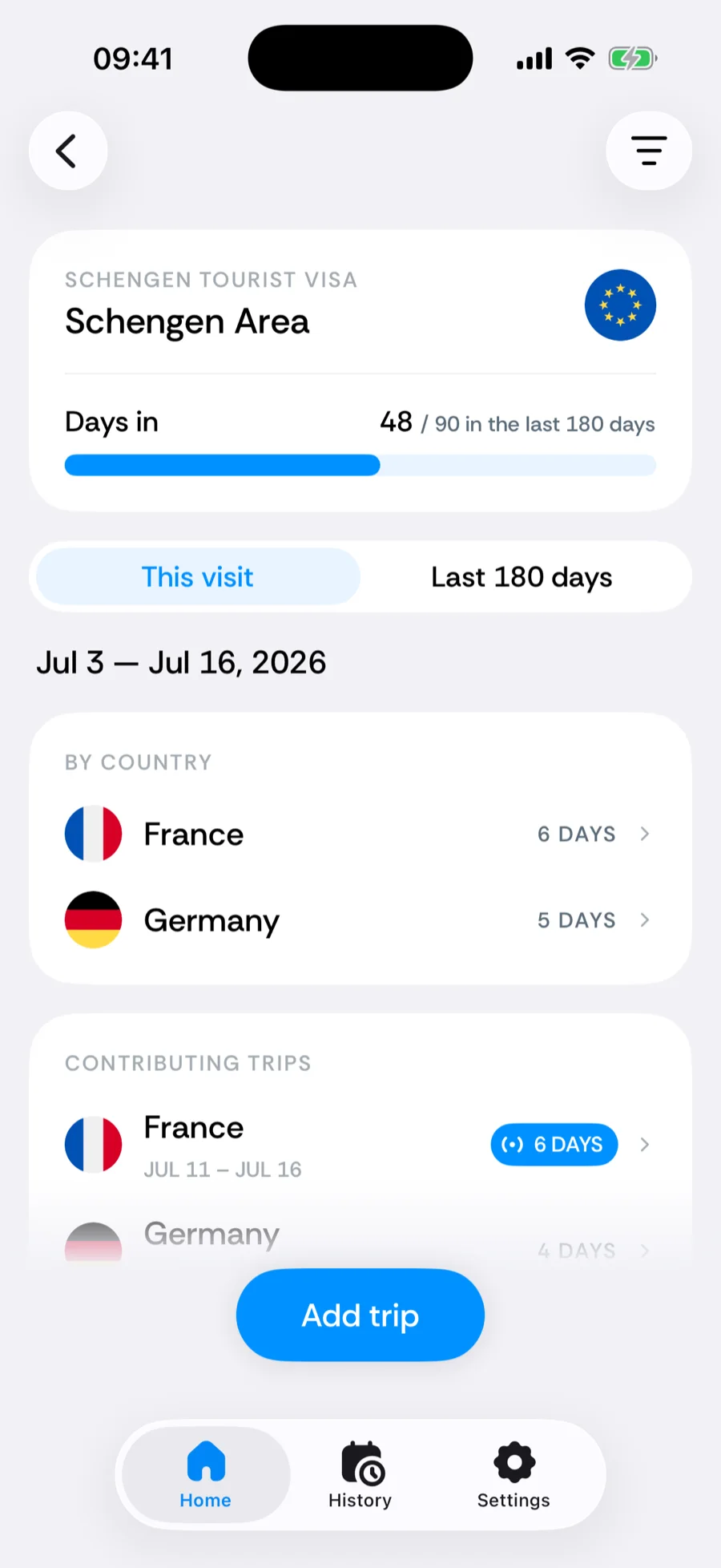
Tap a counter to see exactly where the number comes from: the date span it covers, days by country, and every contributing trip. Tap a trip to fix its dates or country, or tap the edit button in the toolbar to adjust the counter itself; a missing trip goes in through the + in the tab bar (quick-add menu), or on iOS 18 through the Add trip button at the bottom of the breakdown. Counters that project forward also include your planned trips in their forecast.
If the number still looks wrong, tap Report a problem at the bottom of the breakdown — see reporting a problem with a counter.
Editing, reordering, deleting
Open a card and tap the edit button to change its rule. Long-press any card on Home to enter jiggle mode: drag cards into a new order, tap − to remove one, then tap Done. You can track several counters in parallel — Schengen and a 183-day tax rule at the same time, each with its own math. Details in edit, reorder, or delete counters.
Related articles
Can’t find what you’re looking for? We answer every message.
Contact support