


How to create a custom counter
Bounded TeamUpdated September 20, 2026
If none of the built-in counters matches your rule — a specific visa condition, an employer policy, a personal target — you can build a counter from scratch.
Creating one
- 1Tap the + in the tab bar and choose Add a counter (iOS 26 or later; see the quick-add menu). The catalog opens.
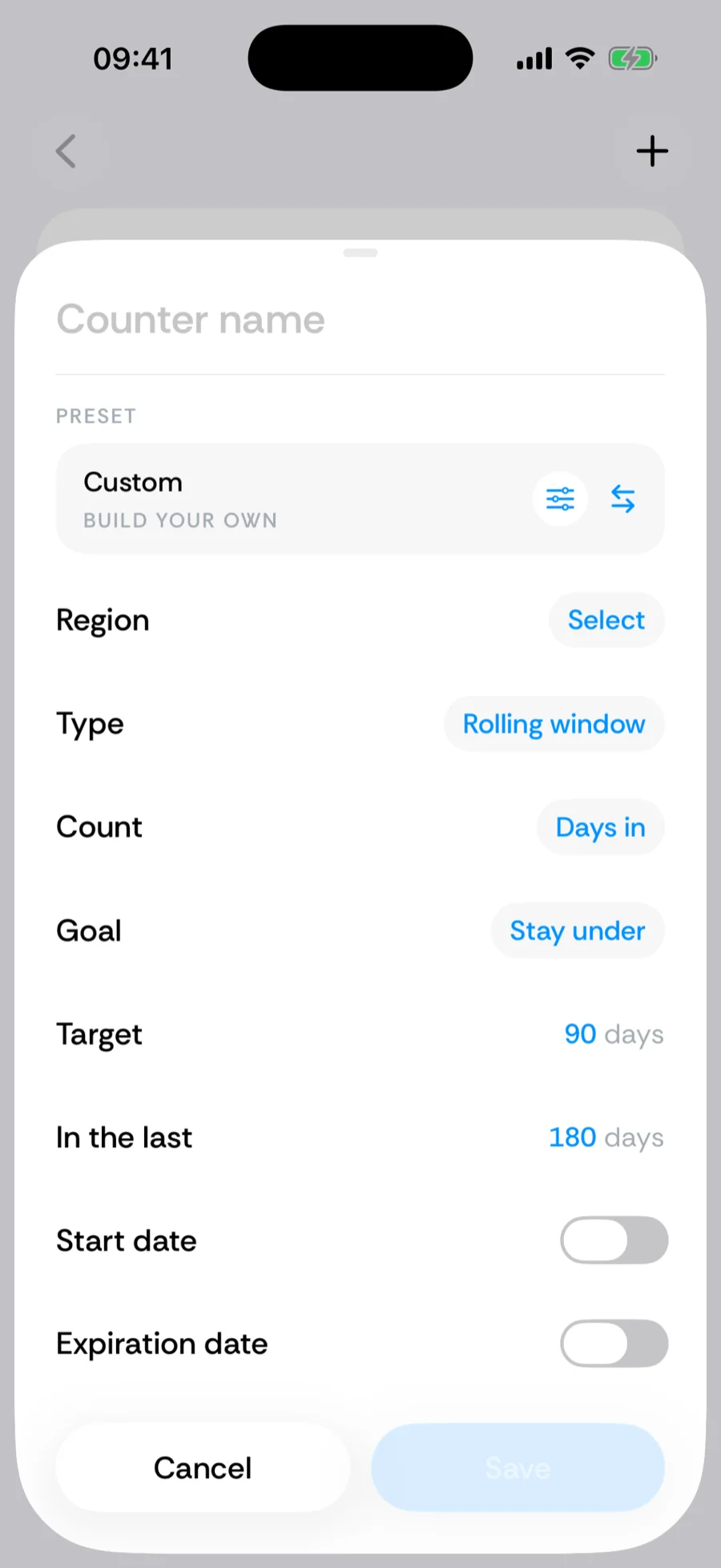
- 2Pick the Custom row at the top of the list (labeled Build your own).
- 3Name the counter and configure the rule (fields below).
- 4Tap Save — the counter appears on Home and starts counting against your full history immediately.
The building blocks
- Region — a single country, the Schengen Area, the EU, or Anywhere. You can exclude specific countries, and for the United States narrow down to a state or city. Days at sea in International Waters match no region: they never count as days in, and they do count as days away.
- Type — Per visit (a cap on each stay, like a visa-free limit), Rolling window (X days in the last Y days, like Schengen’s 90/180), or Calendar year (resets January 1, like most 183-day tax rules).
- Direction (Rolling window and Calendar year) — count Days in the region, or Days away from it (for absence caps like PR-maintenance rules).
- Goal (Rolling window and Calendar year; a Per visit cap is always one to stay under) — Stay under the threshold (avoid a limit; the card shows Overstayed if you exceed it) or Reach at least it (qualify for something, like a 60-day residency rule; the card shows Reached once you get there).
- Numbers — the target days and, for rolling windows, the window length. Per-visit counters can add an optional rolling cap on top. Rolling-window counters can also take a start date, and every custom counter an expiration date.
Built-in counters open the same builder
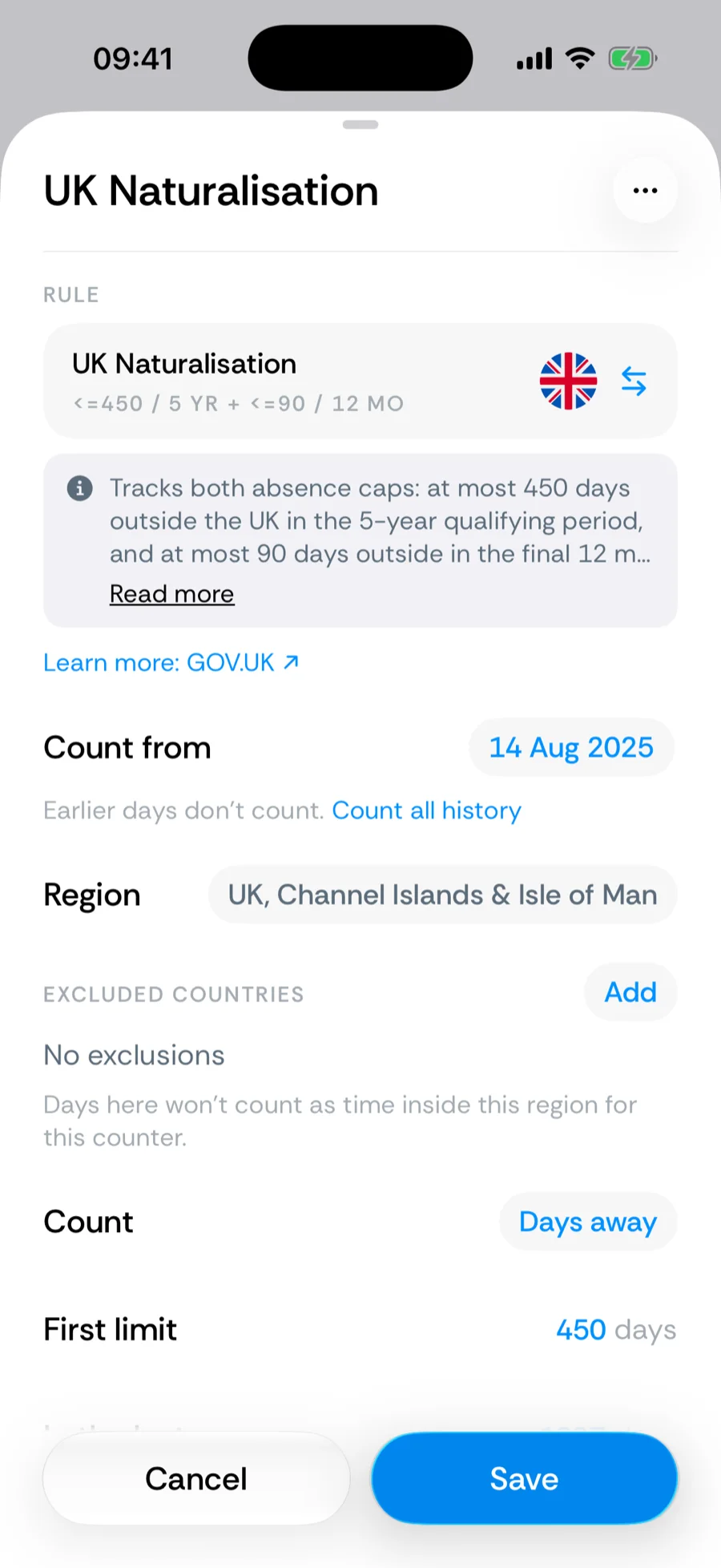
Choosing a ready-made counter instead of Custom lands you in the same builder, pre-filled with the official rule. Only the Schengen Tourist Visa locks its rule — its 90 and 180 cannot be changed. Country counters keep their country fixed but let you edit the numbers, and exclusions, names, and dates stay editable.
Was this article helpful?
Related articles
Can’t find what you’re looking for? We answer every message.
Contact support