


How to fill gaps in your history
A gap is a day Bounded could not place in any country — typically a stretch with no geotagged photos, before tracking was on. Gaps make day counts read lower than reality, so they are worth closing. There are four ways, from surgical to bulk.
1. Fill from the calendar
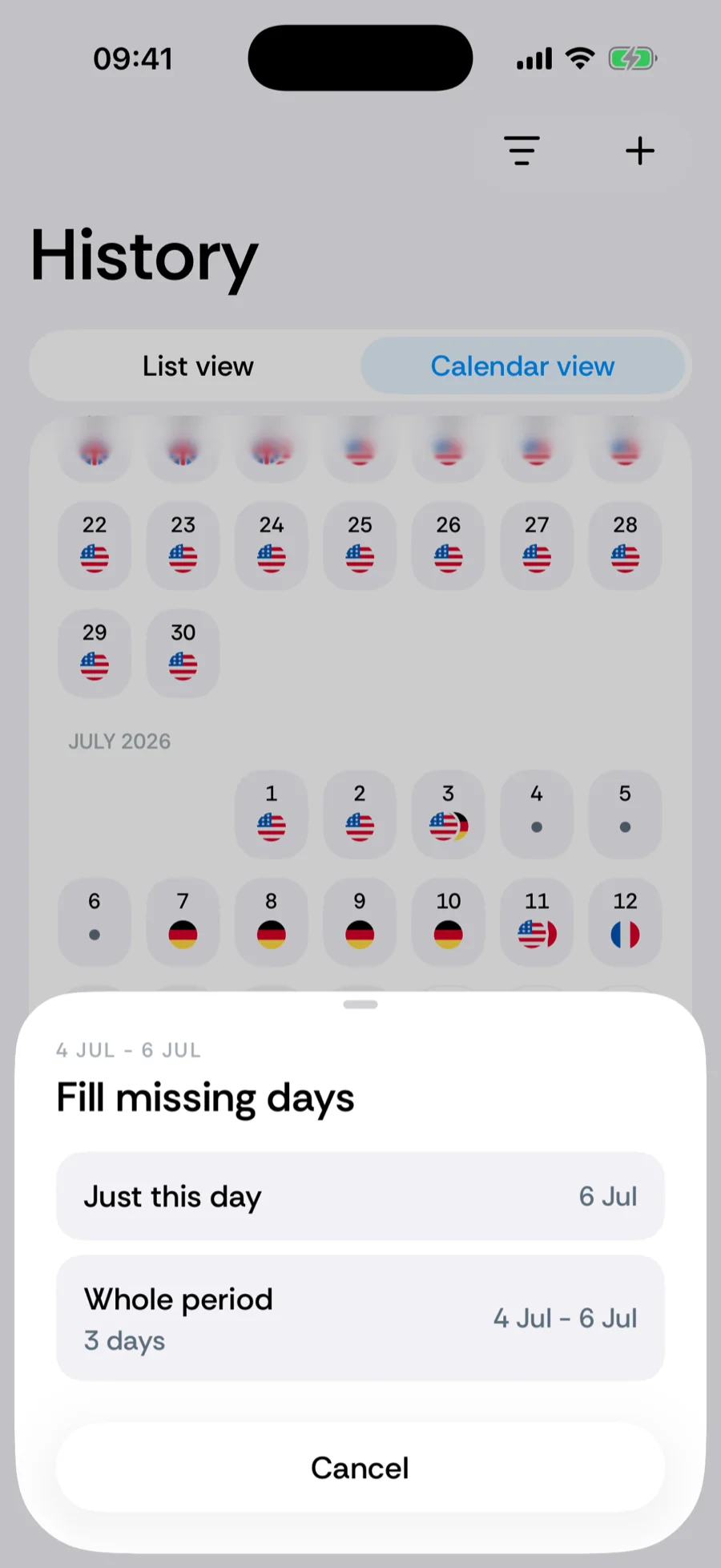
- 1Open History and switch to Calendar view — empty days show as plain dots with no flag.
- 2Tap an empty day. Bounded looks at the countries on either side of the gap and offers to fill just this day or the whole period.
- 3Pick the country before the gap, the one after it, Travel between countries (a transition from one to the other), or any Other country — including International Waters for days spent at sea, which count toward no country.
2. Re-sync from photos with gap-filling
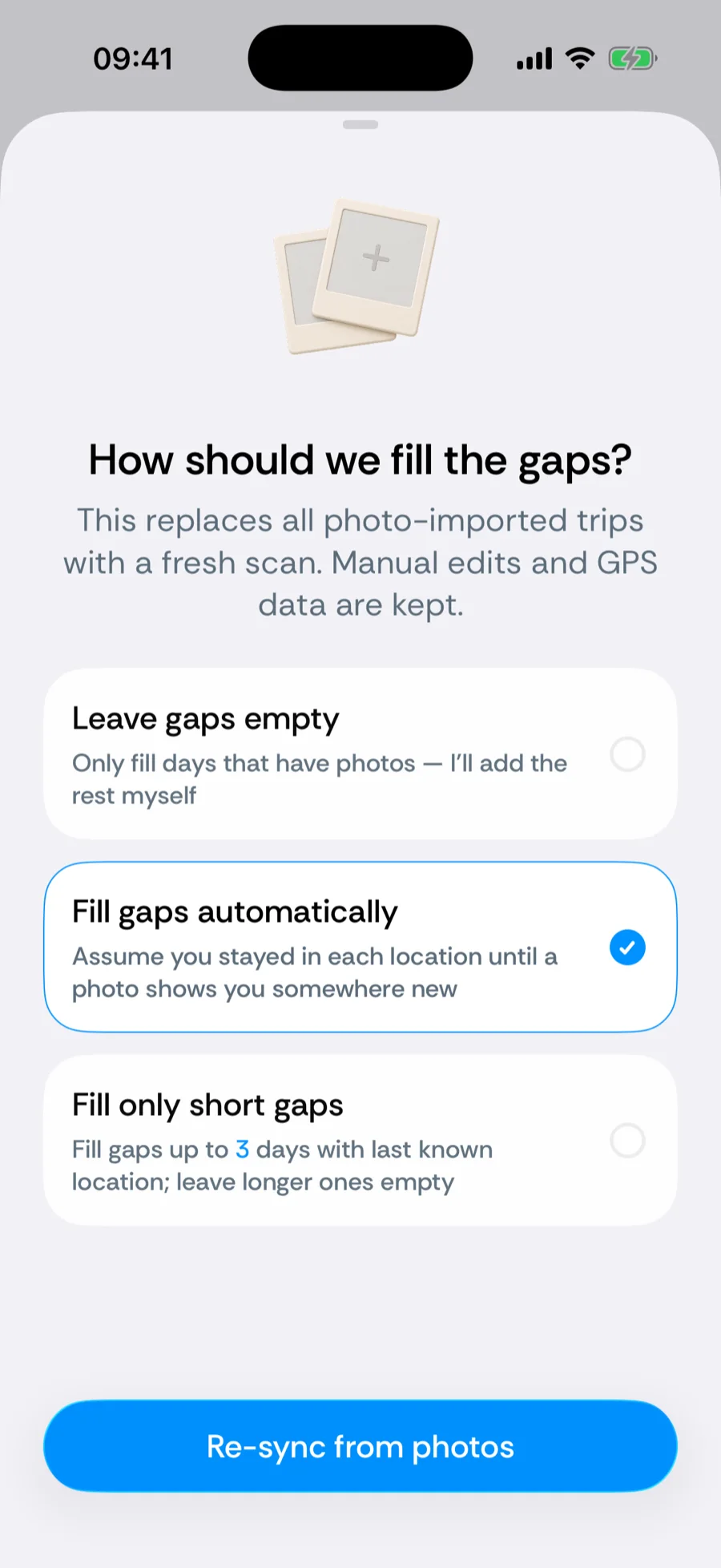
For many gaps at once, re-run the photo scan with a gap policy: You → Your data → Re-sync from photos, then choose how the spaces between photo evidence are treated:
- Fill gaps automatically — assume you stayed wherever the last photo put you until a photo shows you somewhere new. Right for most people.
- Fill only short gaps — bridge gaps up to a few days; leave longer ones for manual review.
- Leave gaps empty — strictly evidence-based; record only days with photos.
3. Import a travel file
For a long stretch that lives somewhere else — Google Timeline, a Flighty flight list, a TripIt or other .ics calendar, or any spreadsheet with dates and countries — You → Your data → Import travel data (Premium) brings it in at once. You review every stay before it is saved, and the import never overwrites GPS days or manual edits, so it is the bulk alternative to tapping gaps one by one. See importing travel data.
4. Add trips manually
When you know exactly where you were, add the trip by hand — manual entries always win over automatic data, so this also fixes wrongly-filled days, not just empty ones.
Related articles
Can’t find what you’re looking for? We answer every message.
Contact support