


Location permissions: Always vs While Using
GPS tracking works by being told about your movement while the app is closed — which is exactly what iOS’s Always location level exists for. Here is what each level means for Bounded.
The levels
- Always — iOS wakes Bounded briefly when you move a significant distance or settle in a new place, even with the app closed. This is the level GPS tracking needs; everything is processed on-device.
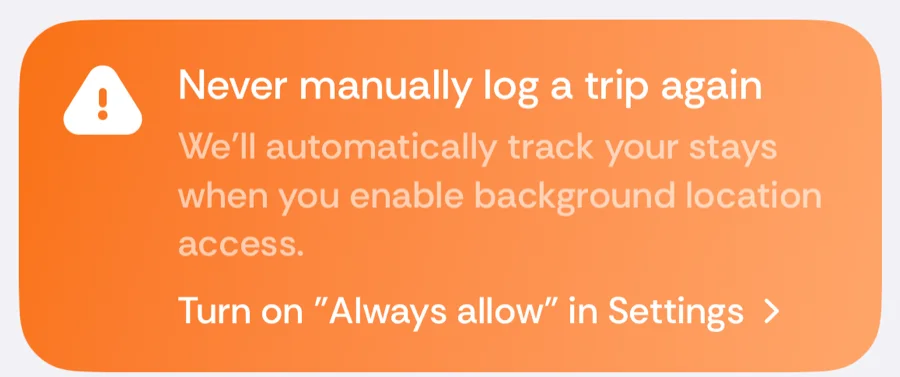
- While Using the App — location only reaches Bounded when it is open on screen, so border crossings that happen while it is closed are missed. Bounded shows the orange “Never manually log a trip again” card on Home until Always is granted.
- Never / Ask Next Time — no automatic detection at all. The app still works fully on photos and manual trips.
Granting or changing it
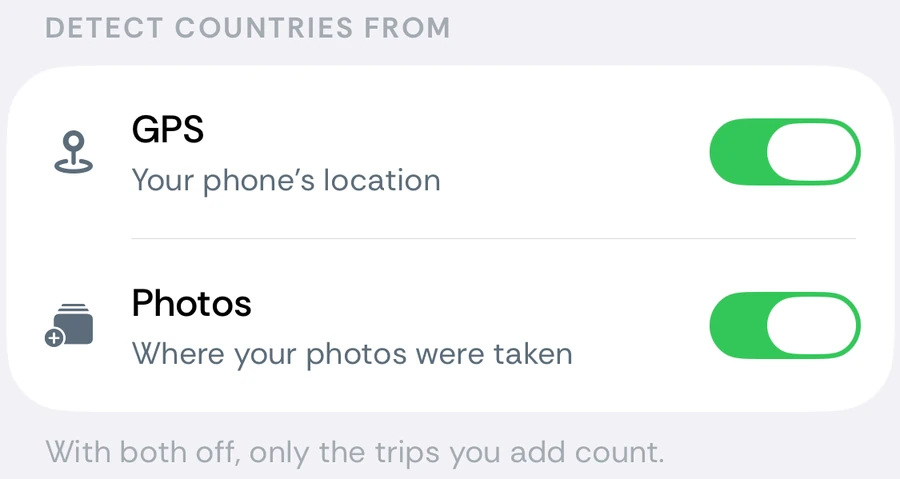
iOS Settings → Apps → Bounded → Location, choose Always. The GPS switch under You → Settings → Detect countries from reads Needs “Always” location access until then, and takes you there when you turn it on. Changing levels never touches your recorded data — it only changes what gets detected from now on.
A note on iOS's provisional Always
iOS sometimes grants Always provisionally and asks you again a few days later (“Bounded has used your location in the background”). Choosing Change to Only While Using in that prompt silently downgrades tracking — if trips stop appearing, this prompt is the usual culprit. See tracking troubleshooting.
The Background tracking is off notification
Because that downgrade is easy to miss, Bounded tells you when it happens. If the permission drops from Always to While Using while GPS is switched on, you get a notification about two hours later: Background tracking is off — Location was switched to While Using the App, so day counts only update when Bounded is open. Turn on Always Allow in Settings to keep tracking in the background. It is sent at most once every 14 days, needs Bounded’s notifications enabled, and is cancelled if you restore Always before it fires. The fix is the same as above: Settings → Apps → Bounded → Location → Always.
What happens when you open the app
Every time Bounded comes to the foreground — and right after you grant location during setup — it requests a one-shot location fix (unless you switched GPS off), so “today” updates immediately even at While Using. That fix is why your current country is right when you open the app; it does not replace background detection, which still needs Always to catch the crossings that happen while the app is closed.
Related articles
Can’t find what you’re looking for? We answer every message.
Contact support