


How to track absence limits for PR and residence permits
Status you already hold — a Green Card, permanent residency, a residence permit — usually comes with a condition attached: do not stay away too long. These rules count absence, not presence, and a single long trip can quietly put years of progress at risk. Bounded’s Residency counters watch them for you.
What's in the Residency tab
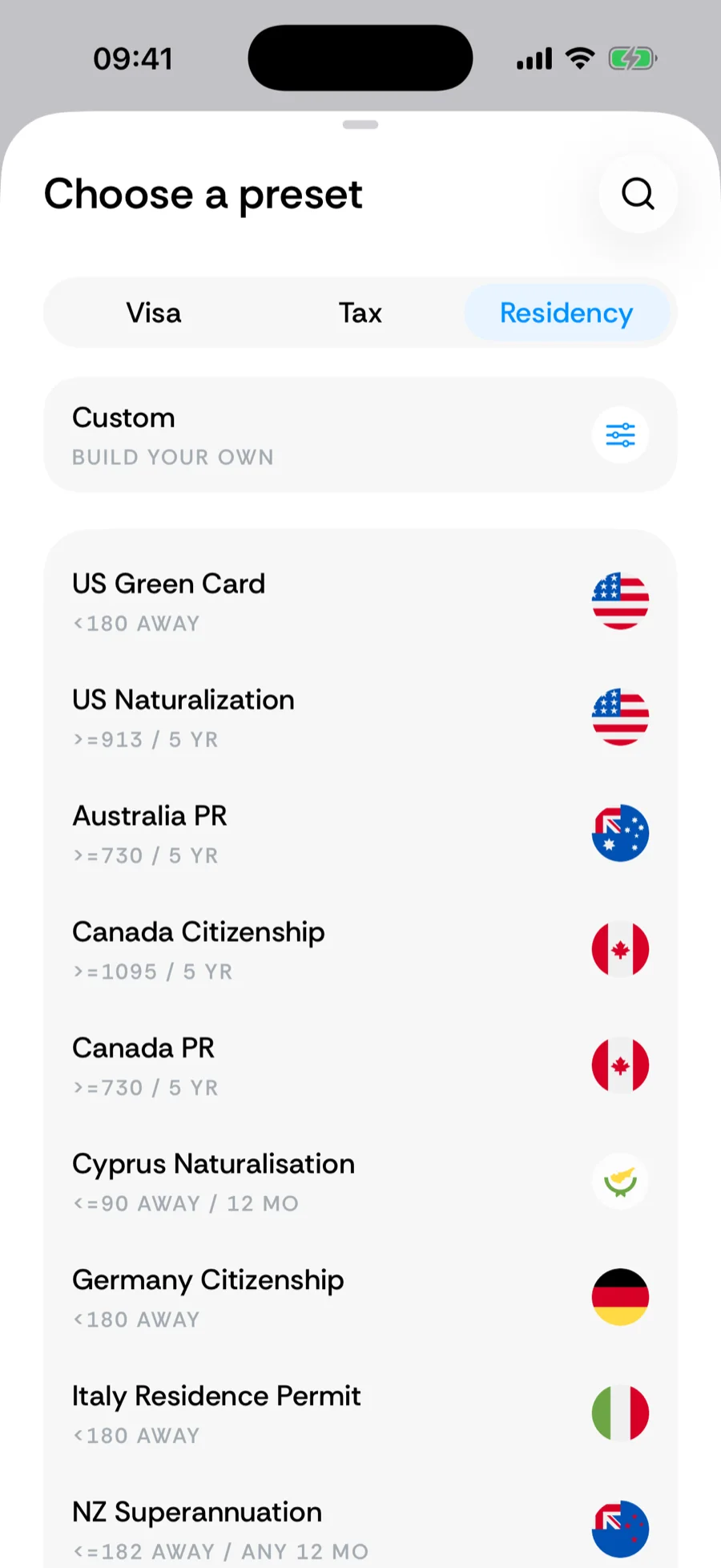
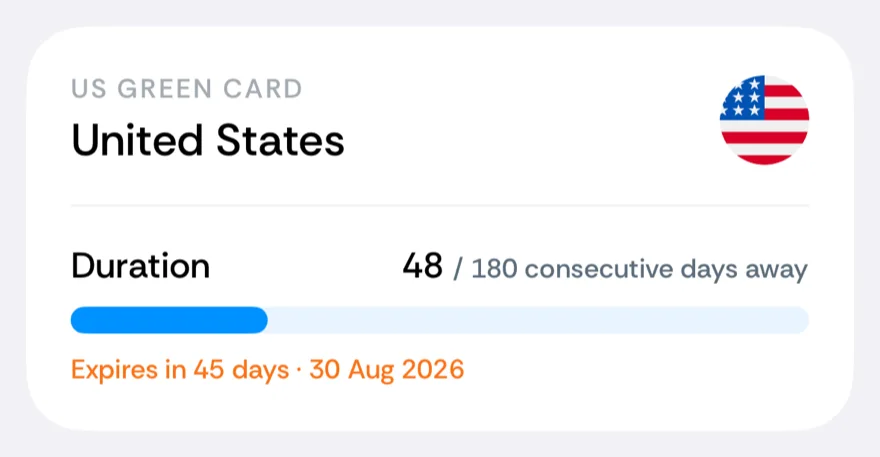
- US Green Card — flags the consecutive absence that endangers permanent-resident status (more than 180 days makes you an applicant for admission and raises questions; more than a year is USCIS's general guide for abandonment, though shorter trips can count; the green card is a reentry document only for absences under a year, and a reentry permit, applied for before you leave, covers longer trips: while it is valid (generally up to two years from issuance), the length of the absence alone is not treated as abandonment), plus a US Naturalization counter for the presence requirement toward citizenship.
- Canada PR — the 730-days-in-5-years presence obligation, and Canada Citizenship for the naturalization count.
- UK ILR, Skilled Worker, Settled Status, Naturalisation — the absence caps that protect each stage of the UK ladder, including Naturalisation’s dual rule (450 days away in 5 years and 90 in the final 12 months — two bars on one card).
- Residence permits — UAE residence visas, Italy’s Permesso di Soggiorno, Spain’s Golden Visa (which tracks the 183-day tax line — the visa itself has no minimum stay), EU citizenship tracks (Germany, Portugal, Spain, Cyprus), and more.
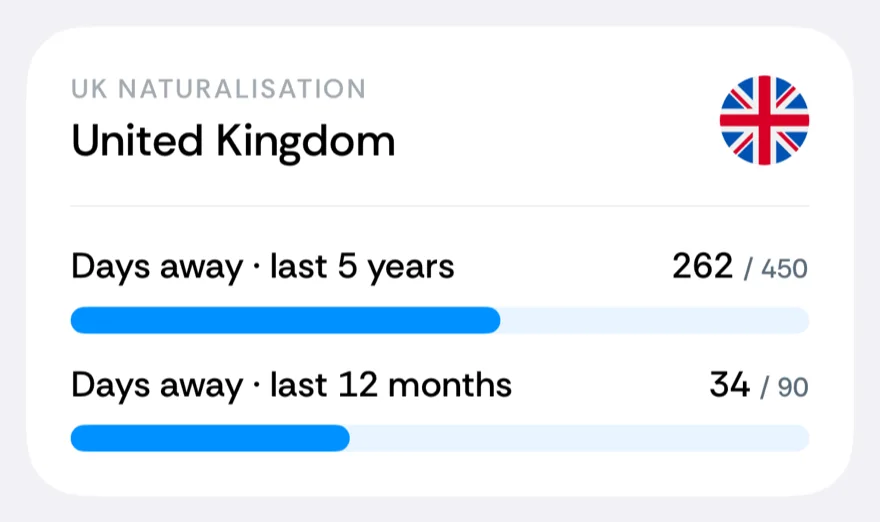
Your country’s rule not in the catalog? Absence budgets are a custom counter away — a Rolling window or Calendar year counter with the direction set to Days away. A cap on a single continuous absence exists only as a built-in counter, so request one if yours is missing.
Two fields worth setting
Two dates make these counters precise:
- Start date — the first row (Count from) when you add a qualifying-period counter (UK ILR, Skilled Worker, Settled Status and Naturalisation; US Naturalization; the green card; Canada PR and Citizenship; Australia PR and Citizenship; and similar). Choose Pick a date and set the day your visa or residency was granted, so travel from before your status began does not pollute a qualifying-period count. Without it, a fresh UK resident with five years of imported history would see the absence caps blown on day one. Choose All my history only when every recorded day belongs to the qualifying period.
- Expiration date — the document’s expiry. The card shows Expires in N days, turning amber inside 60 days and red once passed, so a renewal never sneaks up on you.
Direction: days away
The absence counters run with the Days away direction — the number grows while you are outside the region and the bar fills toward the absence limit. Presence requirements (Canada PR, Settled Status, the naturalization counts) count Days in instead and fill toward a goal. A consecutive-absence window starts a new run when you return; rolling absence budgets (like the UK caps) do not. Returning does not erase an absence over the limit: depending on the rule, the permit or status may already have lapsed or can still be withdrawn, so on residence-permit and status presets the card keeps showing that absence, with its dates, after you are back. For a new permit or a new qualifying period, set the count-from date to its first day to clear it.
Related articles
Can’t find what you’re looking for? We answer every message.
Contact support