


How to export a travel report
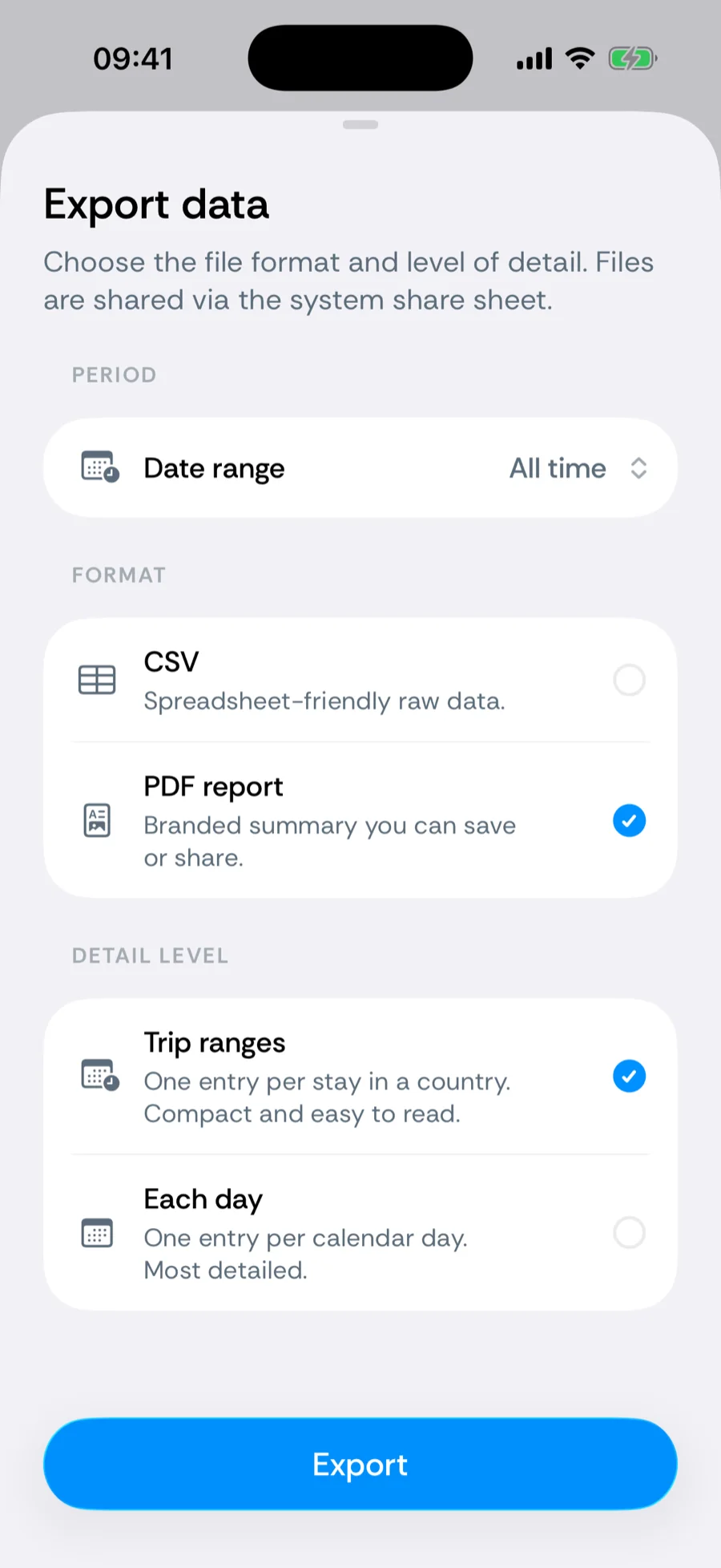
When a tax authority, immigration office, or advisor asks where you have been, Bounded turns your timeline into a document: a formatted PDF report — a short one for visa applications or a full evidence report for an audit — or a raw CSV, covering any period, down to individual days.
Creating a report
- 1Go to the You tab and tap Travel reports (For visas, citizenship and tax), just below your documents.
- 2Answer What is it for? — Visa, residency or citizenship makes the Travel history report; Tax return or audit makes the Audit report.
- 3Pick the Period — All time, This year, Last year, 6 months, Last 365 days, or a custom Date range.
- 4For a travel history, pick the Detail level: Trip ranges (one entry per stay) or Each day (a day-by-day calendar). The audit report has a fixed set of sections.
- 5If you have attached travel proofs, Include travel proofs bundles the files and an index into a zip archive alongside the report.
- 6Tap Create report and share or save the PDF from the system share sheet.
Need the audit numbers in a spreadsheet for your accountant? Under Tax return or audit, tap Get the audit tables as a CSV: the sheet switches to the CSV export with the audit summary already selected. Raw CSV data lives under You → Your data → Export data.
Travel history report
Trips with entry and exit dates and day counts. Made when the report is for a visa, residency, or citizenship application. The short report: a cover with a report ID, the period covered, when tracking started, and your home base (never your name); a summary strip with your per-country day totals; then either the chronological trip list (entry date, exit date, days — an ongoing stay shows Present) or, with Each day, a day-by-day calendar naming each date’s countries and the source of the data. Files are named like Bounded-Travel-History-….pdf.
Audit report
Residency table, day calendar, data sources, and the complete location log. Made when the report is for a tax return or audit, so it shows its work:
- a residency table — each counter’s window, days counted, and days missed;
- a location summary and the full day calendar with each day’s source;
- a Source identification block listing the device(s) that recorded the data — the exporting device’s model and type, plus an alias for any other device seen in the log;
- the complete location log of GPS pings behind every counted day, with rejected samples marked with their reason rather than hidden;
- your trip and day notes, and a methodology appendix explaining how days are counted.
The report carries no personal name; it is identified by its report ID and the listed devices. Planned days after the report date are never included, and gaps are printed as missed, never auto-filled. Files are named like Bounded-Audit-Report-….pdf.
What the source column means
Day-level pages and CSVs mark each day Photo, GPS, Manual, Imported, or Planned — see where each day comes from. That column matters for audits: it shows your record is built from evidence, not recollection. Combine it with the History calendar to close any gaps before exporting.
Related articles
Can’t find what you’re looking for? We answer every message.
Contact support