


How to track 183-day tax-residency rules
Spend 183 or more days in a country and, in much of the world, you become its tax resident. The threshold is common; the counting method is not — some countries use the calendar year, some a rolling window, some their own tax year. Bounded covers the variations with country-specific counters, plus generic ones for everywhere else.
Country counters first
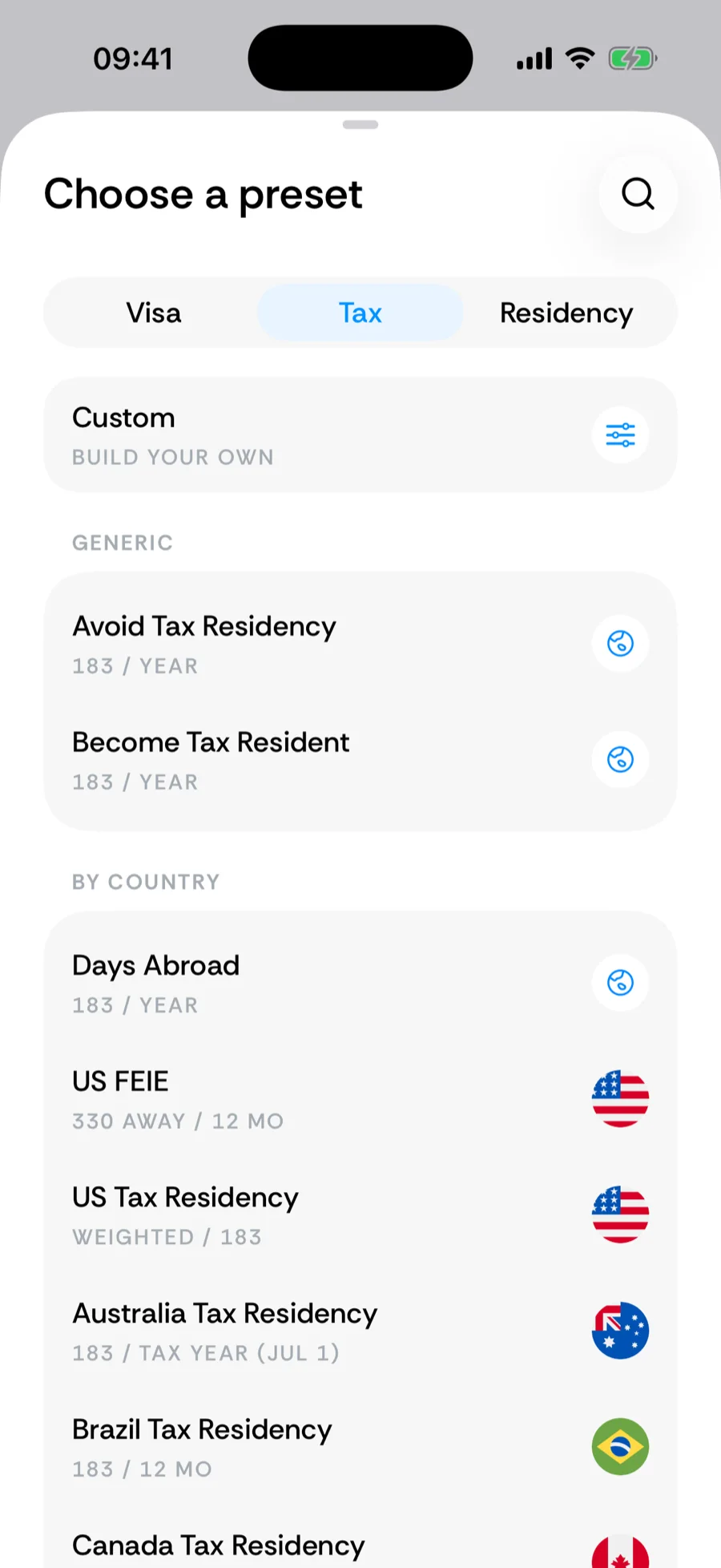
Check the Tax tab of the counter picker before building anything: UK Tax Residency (tax year from April 6), Spain, Germany, France, Canada, Australia, India, Ireland, Italy, Israel, Greece, and many more ship with each country’s exact counting style, plus qualifying-side counters like Cyprus’s 60-day regime, UAE tax residency, and Portugal NHR. Each carries a Learn more link, visible when editing the counter, that opens Bounded’s Rulebook article on the rule (with the tax authority’s page cited) or, where there is no article, the authority’s page itself.
The generic counters
No dedicated counter for your country? Three generic tax counters adapt to any jurisdiction:
- Avoid Tax Residency — stay under a threshold in a country you pick. By default it allows 182 days and warns on day 183, the cautious reading of a “183 days” rule.
- Become Tax Resident — the same math flipped: reach at least the threshold, for when you want residency status. By default the goal is met on day 184, so a “more than 183 days” rule is never shown as met too early.
- Days Abroad — days away from a country, for absence-based rules.
The threshold and the year start are editable, so a “183 days from April 6” rule or a 60-day variant is a two-field change in the builder.
Avoid vs qualify
Every tax counter can point either direction — the Goal field switches between Stay under (avoid residency) and Reach at least (qualify for it). The same Spain counter serves someone dodging the 183rd day and someone who needs to prove they passed it. The exceptions are counters without a day total to aim at — the checklist counters, the weighted US Substantial Presence Test, and Switzerland’s per-stay limit — which have no Goal field.
Related articles
Can’t find what you’re looking for? We answer every message.
Contact support