


How to track UK tax residency (SRT)
UK tax residency is decided by the Statutory Residence Test — a decision tree where your UK day count is the input to everything else. Bounded’s UK Tax Residency counter keeps that count on the right calendar: the UK tax year, which runs from April 6 to April 5 — not January to December.
Why the day count is the backbone
The SRT’s thresholds are all day-count bands within one tax year:
- 183+ days — automatically UK resident, no further questions.
- Under 16 days — automatically non-resident (for previous residents).
- 16–182 days — the “sufficient ties” zone, where the bands at 15, 45, 90, and 120 days decide how many UK ties (home, work, family, 90-day history) you can have before becoming resident.
A day counts when you are in the UK at midnight — one more reason border-crossing days deserve a precise record.
Tracking it
Tap + in the tab bar, choose Add a counter (iOS 26 or later), and pick UK Tax Residency from the Tax tab — or type “UK” into Search counters. The Day cap is a number you type: enter whichever limit applies to you — 90 for the third automatic overseas test, a personal safety margin, anything the bands do not contain. The five HMRC Sufficient Ties band caps are one tap away under the field as Sufficient Ties caps quick picks.
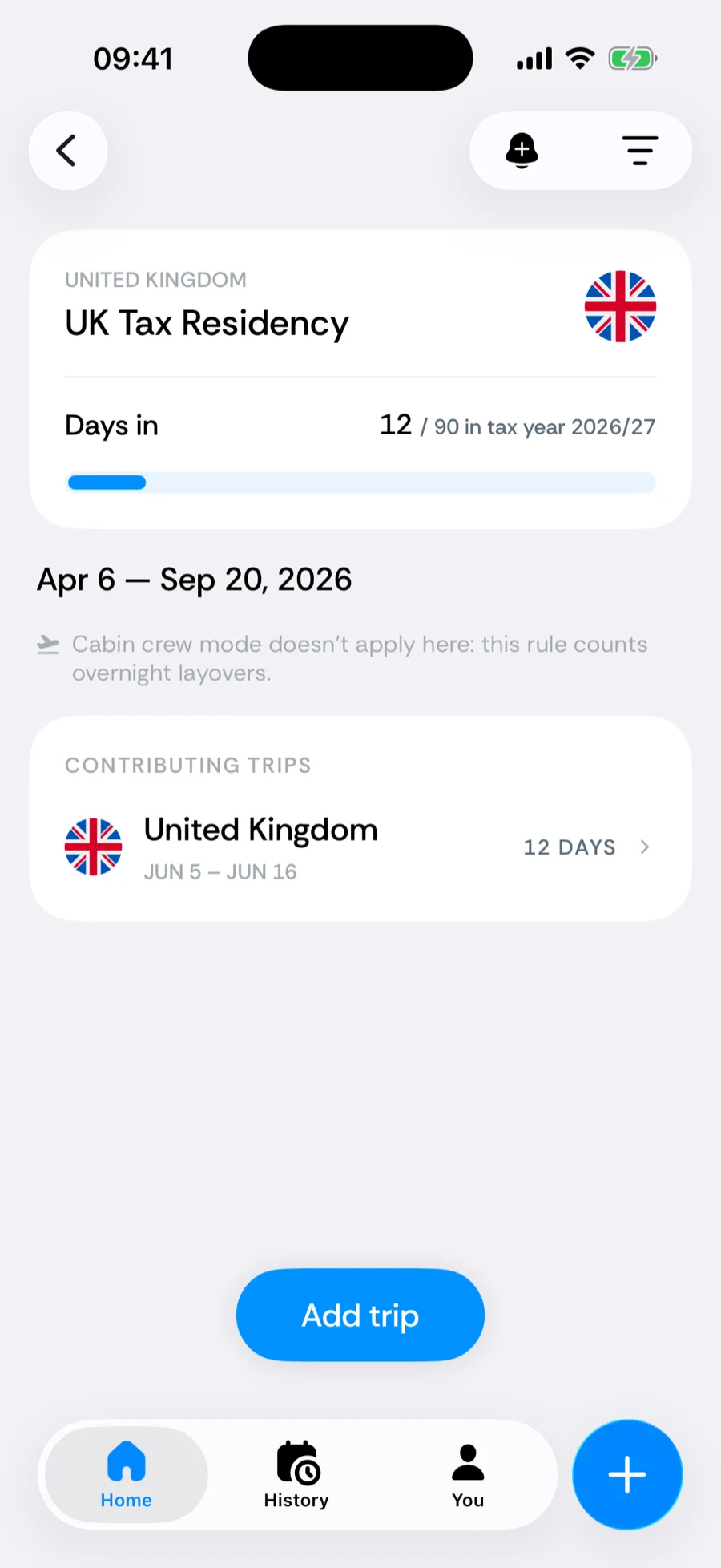
The card reads like 12 / 90 in tax year 2026/27. On April 6 the count resets with the new tax year, and the card’s period chip offers This tax year and Last tax year instead of calendar years, so last year’s figure is always a tap away.
Related articles
Can’t find what you’re looking for? We answer every message.
Contact support