


Review uncertain trips: the Home banner explained
When Bounded rebuilds your history from photos, most stays are obvious: a run of geotagged photos in one country, then a run in the next. Some are not. Where the scan had to guess, Bounded 2.1 or later shows a Review uncertain trips banner on the Home tab and asks you a yes/no question for each guess — answering takes a few seconds and keeps your day counts honest.
The banner and the sheet
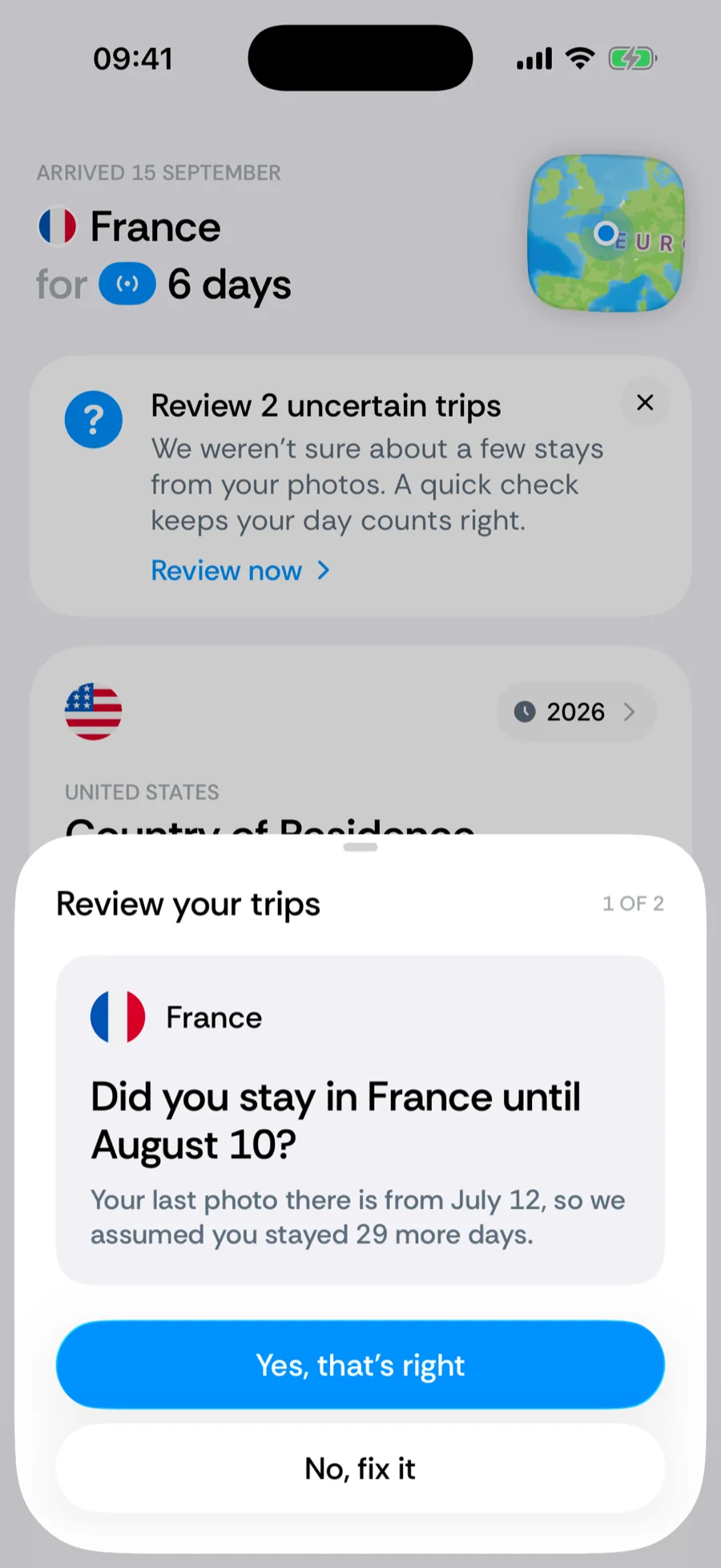
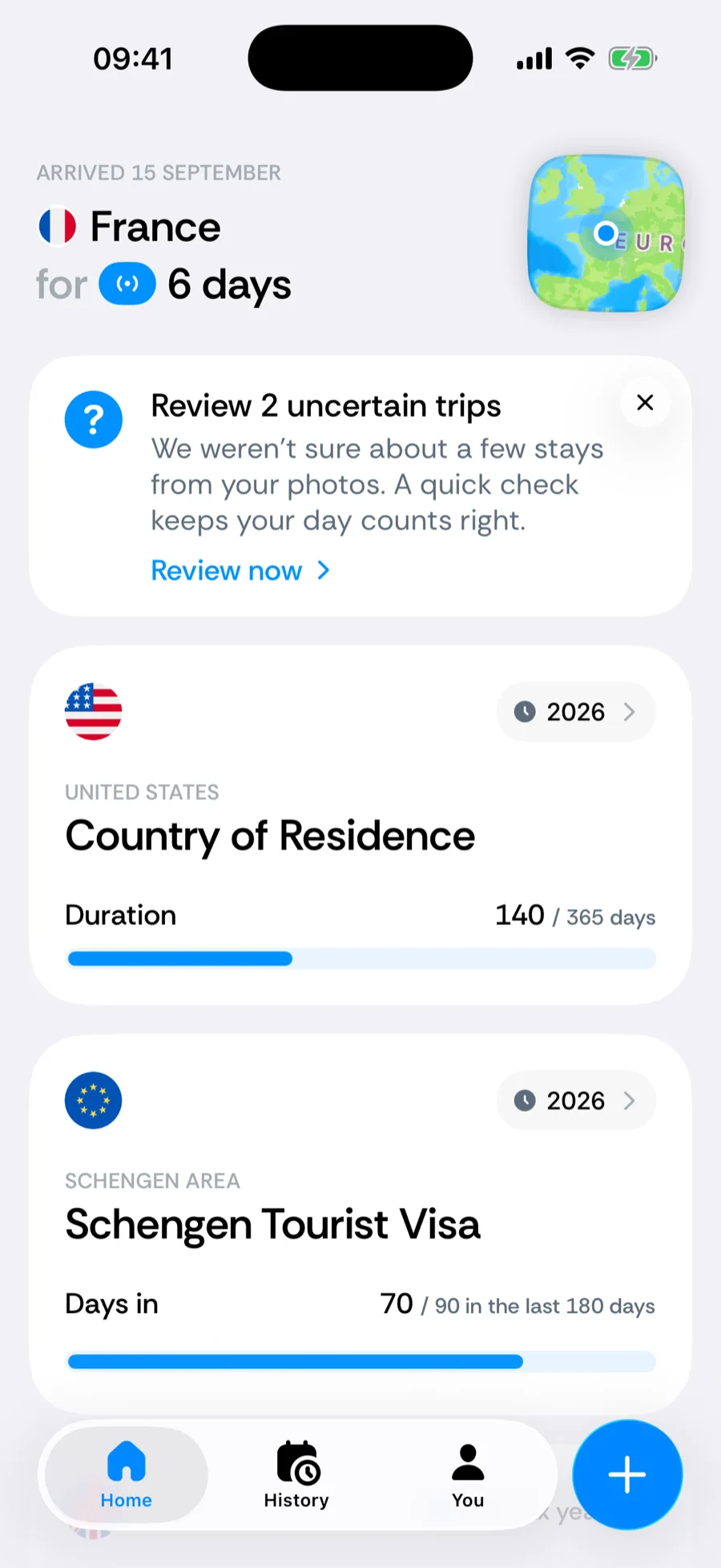
The banner reads Review 1 uncertain trip or Review N uncertain trips, with the line We weren’t sure about a few stays from your photos. A quick check keeps your day counts right. Tap Review now to open the Review your trips sheet. It walks through the items one at a time with a progress caption (2 of 5), and ends on All caught up once every item has an answer.
What makes a trip uncertain
Two situations trigger a review item:
- An assumed stay. When your photos stop, Bounded carries the last country forward until the next photo elsewhere — that is how a stay covers the days you did not photograph. If that carry-forward runs for 14 days or more with no photo at all, it is flagged. The question is Did you stay in {country} until {date}?, explained by Your last photo there is from {date}, so we assumed you stayed N more days.
- A single-photo trip. One photo places you in a country, and the days on either side are somewhere else. It could be a genuine day trip, or a mislocated photo — a screenshot, a shared image, a phone whose location was wrong. The question is Were you in {country} on {date}?, explained by Only one photo places you there, and the days around it are in other countries.When the days after that photo have no photos of their own, they are carried forward into the same country until your next photo elsewhere, and the question covers the whole stretch: Were you in {country} from {date} to {date}?, explained by Only one photo, from {date}, places you there. We assumed you stayed until your next photo in another country. A photo taken from a plane over a country you only flew across looks exactly like this. A stretch of 14 days or more is asked about as an assumed stay instead.
Your answers and what they change
- Yes, that’s right — keeps the data exactly as it is and marks the item as reviewed, so it never comes back.
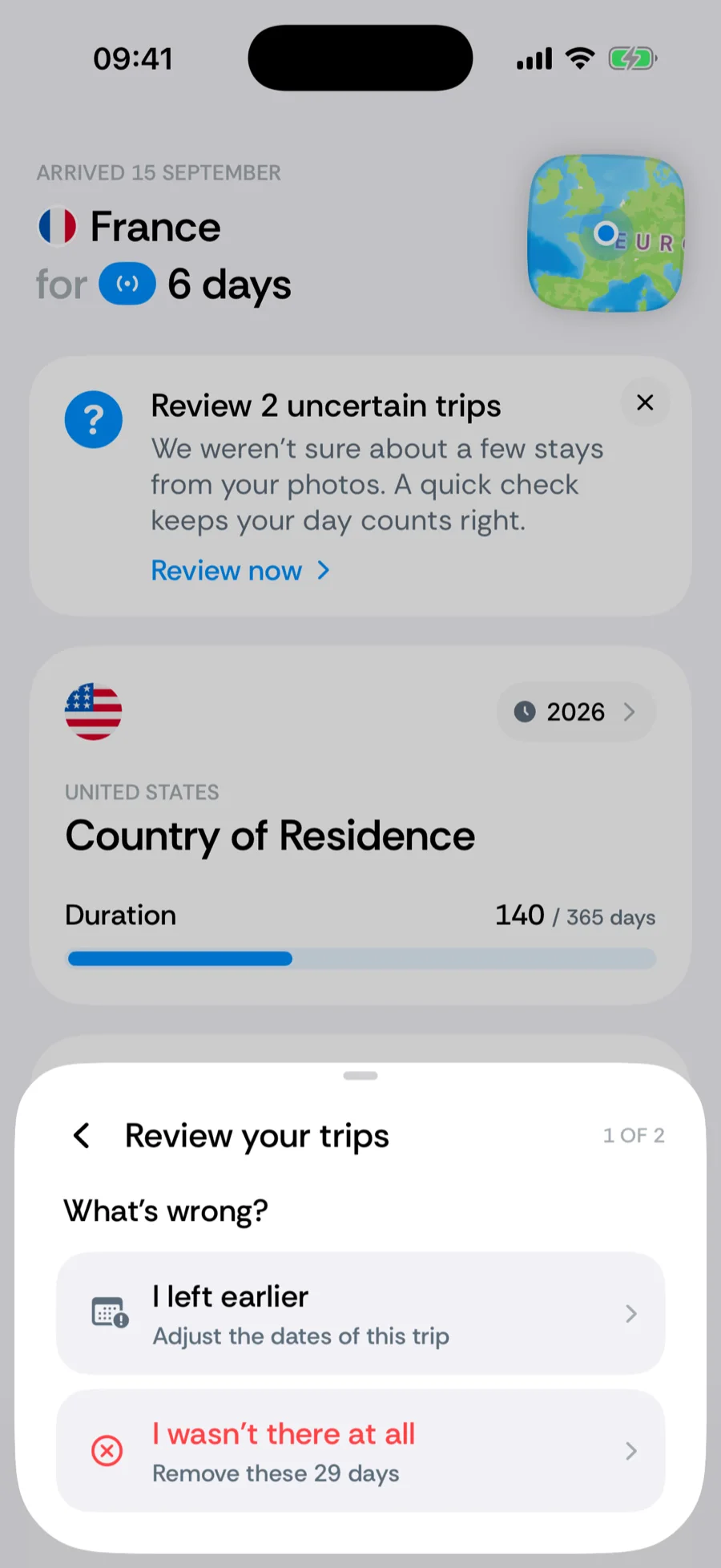
- No, fix it — opens What’s wrong? with two options that depend on the item.
- For an assumed stay: I left earlier (opens the trip editor so you can shorten the stay) or I wasn’t there at all (removes the assumed days — Remove these N days).
- For a single-photo trip: Change country or dates (opens the trip editor) or Remove this trip (The photo was taken somewhere else; a confirmation asks Remove this trip?).
Fixes apply immediately as manual edits, which outrank photo data — so a later photo re-scan will not resurrect the guess. Counters recompute on the spot. The back arrow in the sheet leaves the fix options or takes back the previous confirmation.
Dismissing the banner
The × on the banner (Dismiss trip review) does not postpone the review — it confirms every pending item at once, exactly as if you had answered Yes, that’s right to each. Use it when you have glanced at the calendar and everything looks fine; otherwise answer the questions.
How this relates to the photo restore
Review items are produced by the same scan that restores your history from photos — after onboarding, and after every re-sync. They only ever concern photo-derived days: trips you entered manually, GPS-tracked days and imported days are never questioned. If the banner keeps flagging the same kind of stay, the underlying photo data is worth a look — see photo scan troubleshooting.
Related articles
Can’t find what you’re looking for? We answer every message.
Contact support