


Wrong country in your timeline? How to fix it
The timeline says you spent weeks in a country you have never set foot in. Before anything else: your record is fully repairable, and the cause is almost always identifiable. Here is what happens, how to fix it in a minute, and why telling us about it genuinely matters.
Why phantom trips happen
The photo scan trusts the GPS tags on photos in your library — and sometimes a photo in your library was not taken by you:
- Photos people sent you — an image saved from WhatsApp, iMessage, or AirDrop can carry the sender’s GPS tag. Your friend’s vacation becomes your “trip.”
- Shared albums and family sync — libraries that mix in other people’s photos mix in their locations too.
- Old saved images — downloads and re-saved photos that kept someone else’s metadata.
Bounded filters non-camera captures — screenshots, AirDropped files, high-altitude flyover shots — but a saved image that looks like a genuine camera photo can occasionally slip through, especially in libraries built up over many years.
The fix ladder
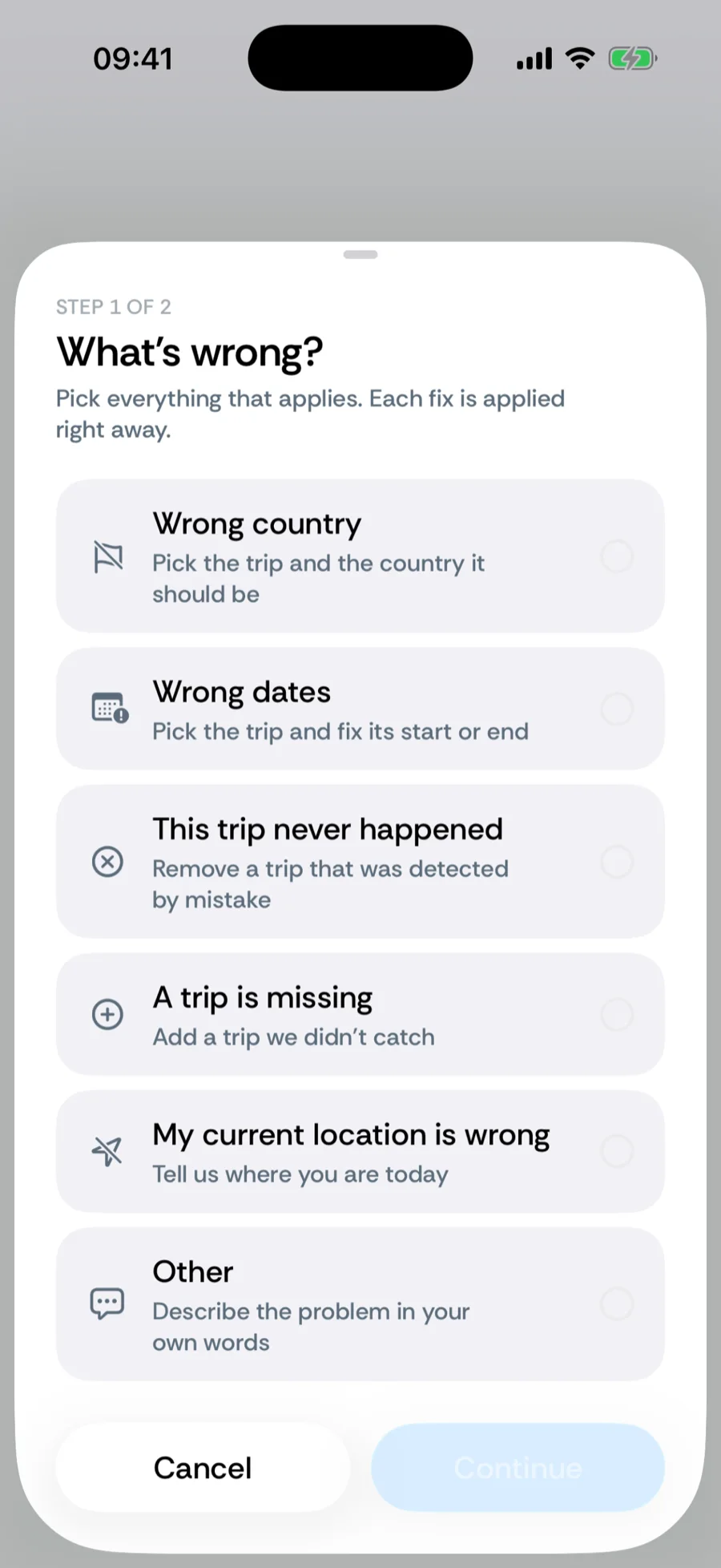
- 1Report the trip. Open the trip from History and choose Report this trip in its actions (or swipe a trip in the country detail and tap Report trip). Step 1, What’s wrong?, lets you tick Wrong country, Wrong dates, This trip never happened, A trip is missing, My current location is wrong, or Other; the fix is applied immediately, with Undo. Step 2 asks whether to Send report — the corrections plus the detection diagnostics for those days, no photos — or Keep changes, don’t send. Details in reporting a wrong trip. The sheet is rolling out gradually; not everyone sees it yet.
- 2Or delete and overwrite by hand. From the trip’s actions, Delete trip removes it; counters recompute instantly. Know where you actually were? Add a manual trip for those dates — manual entries beat photo, GPS, and imported data, so the correction is final. For days at sea or a phantom coastal country, pick International Waters in the trip editor.
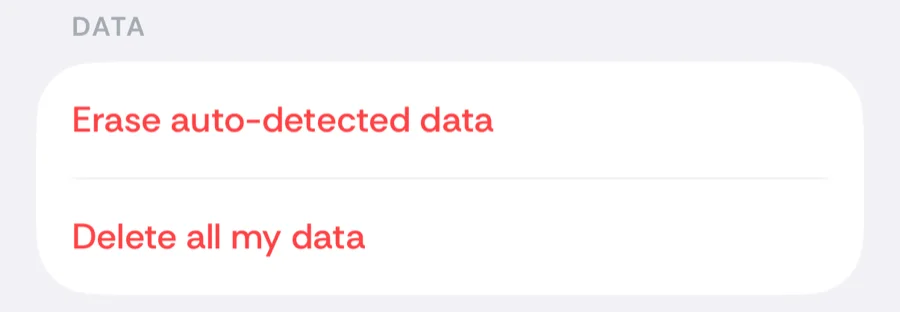
- 3Errors everywhere? Reset the automatic layers. You → Settings → Data → Erase auto-detected data removes every photo-, GPS-, and import-derived day while keeping your manual trips, then Re-sync from photos rebuilds the timeline with the current filters — which improve with every release, so a re-scan often fixes what an old scan got wrong.
When Bounded asks you first
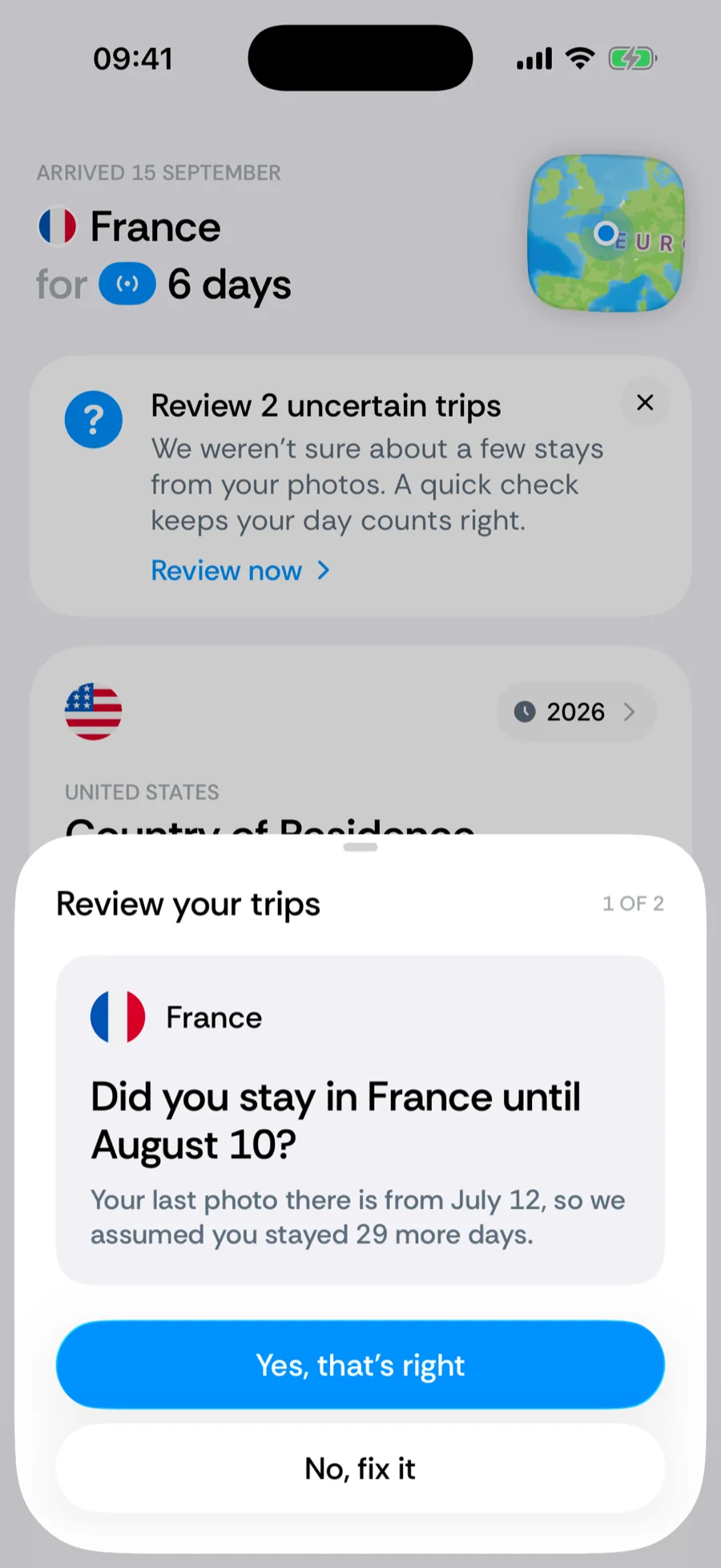
Some photo-based guesses are flagged before you notice them. When the scan had to assume a stay — a photo-based stay carried forward 14 days or more with no photo on those days, or a trip resting on a single photo whose neighboring days are elsewhere — Home shows a banner, Review N uncertain trips, with Review now. Each card asks a plain question, such as Did you stay in Spain until 14 March?; answer Yes, that’s right to keep it or No, fix it to shorten or remove the trip on the spot. See reviewing uncertain trips.
Please tell us about it
If a phantom trip made it into your timeline, we want to know. The easiest way is Send report in the correction sheet — it carries exactly what we need (the corrected days and how they were detected) and nothing personal. Otherwise email support@waslapps.com with the country, the dates, and (if you can find it) the photo that caused it. The detection filters are built from exactly these reports: every case you send helps us catch that pattern automatically, for you and for every future user.
Related articles
Can’t find what you’re looking for? We answer every message.
Contact support