


The + button: add a counter, log a trip, plan a trip
Bounded TeamUpdated October 13, 2026
On iPhones running iOS 26, Bounded’s tab bar has a round + button next to the Home, History, and You tabs. Tap it and a small menu unfolds above the bar with the three things people add most often — a counter, a trip that already happened, and a trip that is still ahead. Each one opens the same editor you would otherwise reach through Home or History; the menu just saves the detour.
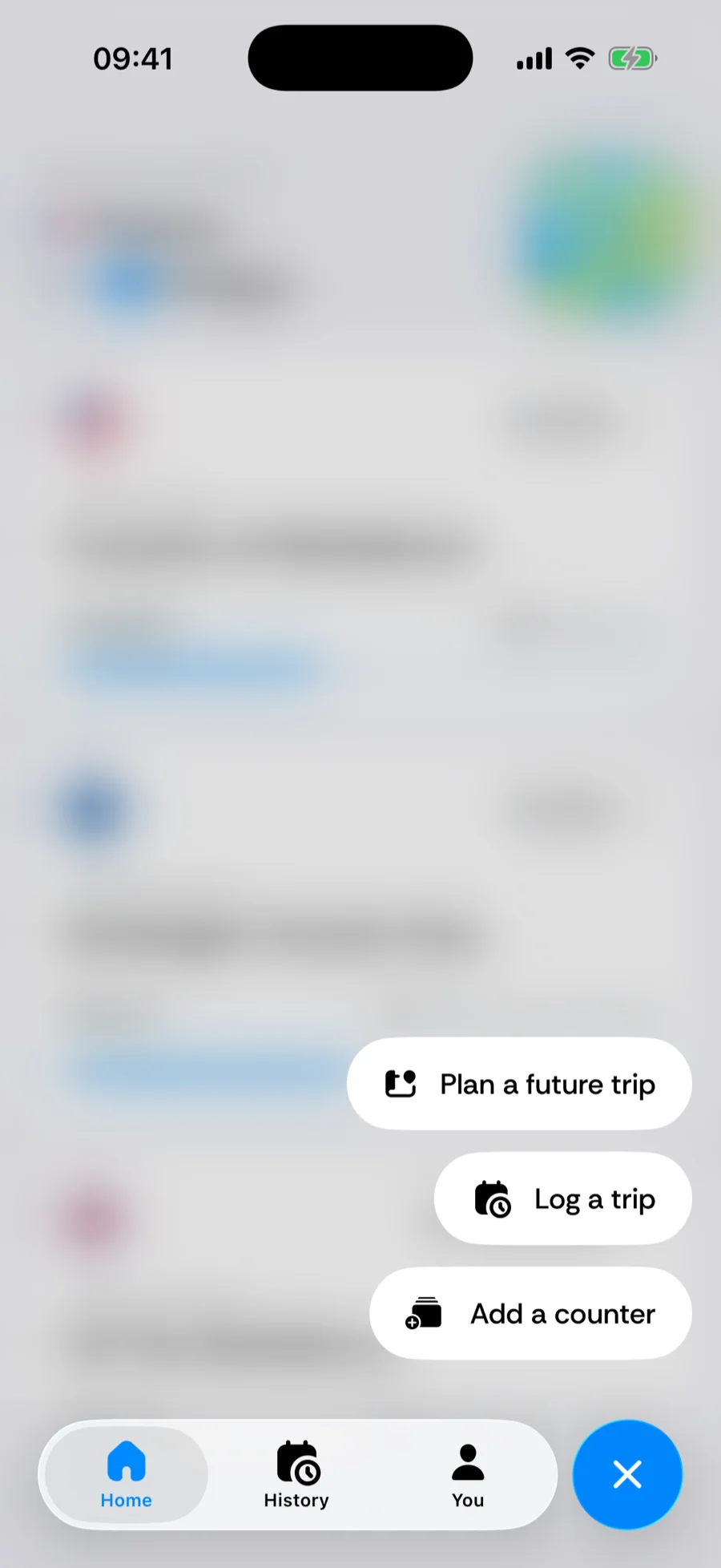
The three options
- Add a counter — opens the counter catalog (Choose what to track), where you pick a built-in rule or build a custom one. The new counter card lands on Home.
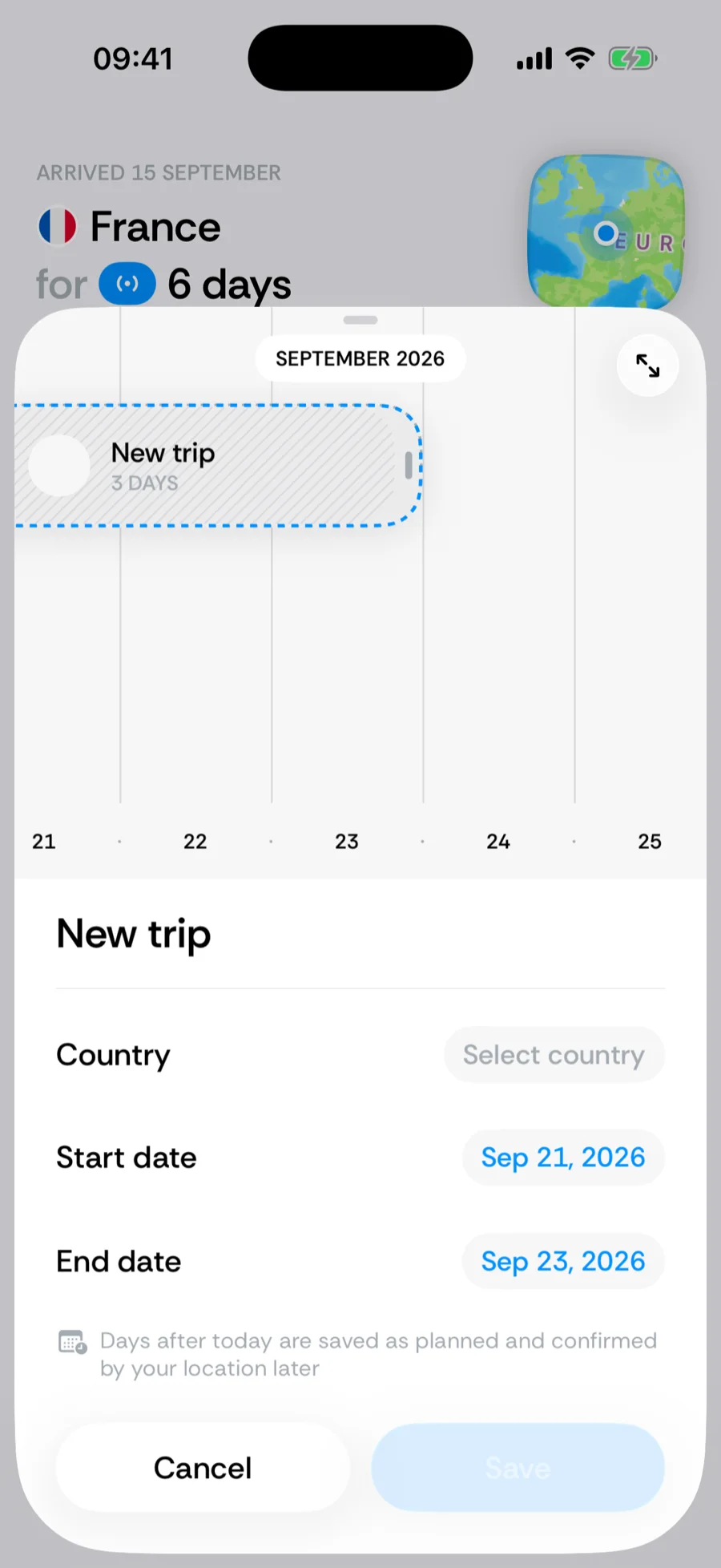
- Log a trip — opens the New trip editor with a draft that ends today, for a trip you are on right now or one you forgot to record. Pick the country, adjust the dates on the timeline strip, and save — see adding and editing trips.
- Plan a future trip — opens the same editor with a draft that starts tomorrow, so you can book a trip against your counters before you leave. Future days are stored as Planned and are replaced by real data as each day arrives — see planning future trips.
Open the menu from a country’s detail screen and both trip options start with that country already picked.
On older iOS versions
On iOS 18 and earlier the tab bar is the standard one and has no +. Everything the menu does is still available, just from where it used to be:
- Log or plan a trip — open the History tab and tap + in its toolbar, or switch History to Calendar view and tap a day or an empty gap. A country’s detail screen has its own + at the top right, and a counter’s breakdown an Add trip button at the bottom. The New trip editor is the same, and its dates can go past today for a planned trip.
- Add a counter — on Home, the Track the rules that matter card below your counters offers two suggested rules and a Browse all counters link into the full catalog. The card stays on Home until you dismiss it with its ×.
Was this article helpful?
Related articles
Can’t find what you’re looking for? We answer every message.
Contact support