


The Home tab: where you are, your map, and your counters
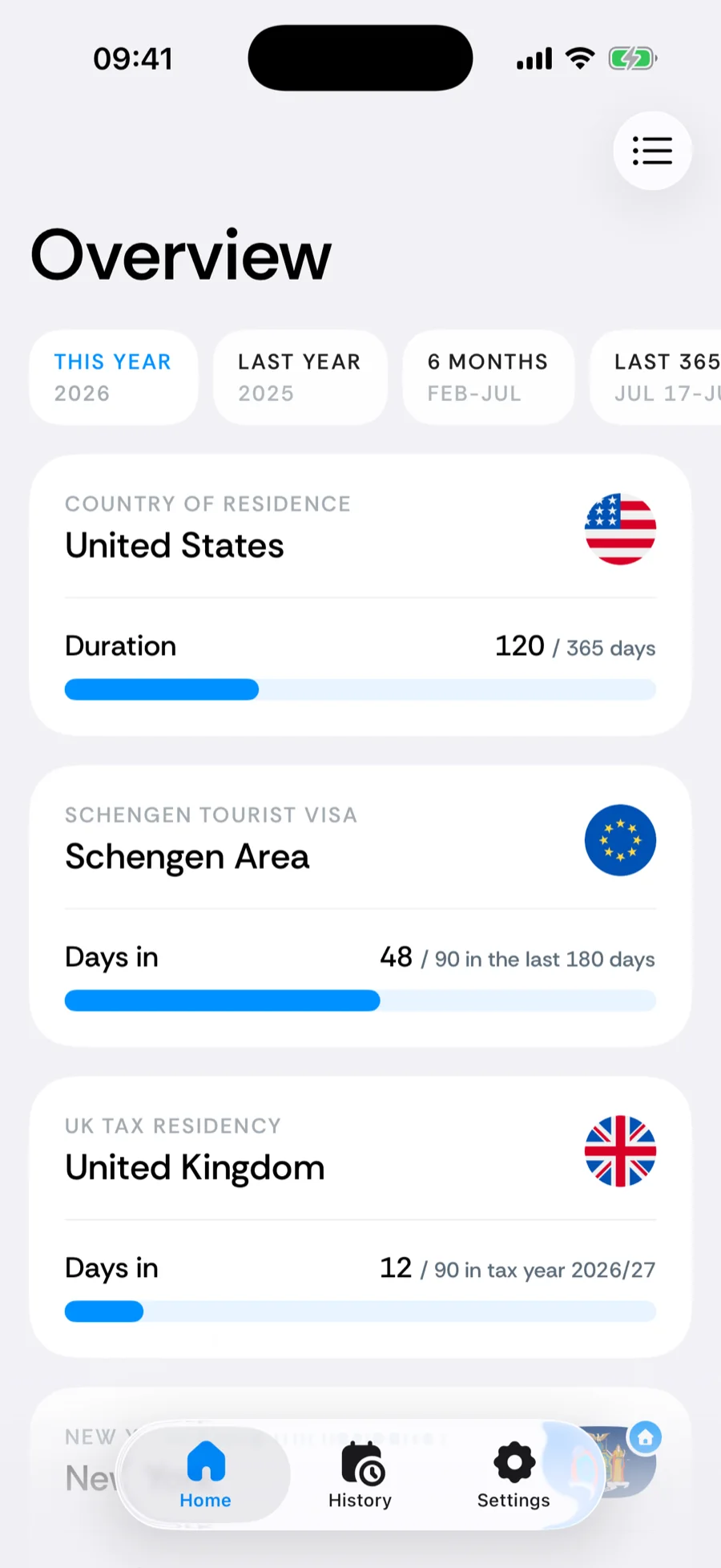
The Home tab answers “where do I stand right now?”: the country you are in and since when, your travel map, your residence, every counter you track, and the countries you spend the most time in. Each card keeps its own time period, so a tax counter and your top-countries list can look at different windows at the same time.
Where you are
The header shows your current country with its flag, Arrived plus the date you crossed in, and how many days you have been there. If the stay has a booked end — a planned trip that starts later — the header adds · leaving with that date.
Below it sits a map thumbnail. Tap the header or the thumbnail to open the full-screen travel map, where countries are shaded by the days you spent there and where the Countries, Border crossings, and Travel days totals live.
Your residence
The residence card shows your home base (or Nomad) with a bar for how many days of the chosen period you spent there. Tap it to open the country’s trip detail. The chip in its corner picks the period — more on periods below.
Your counters
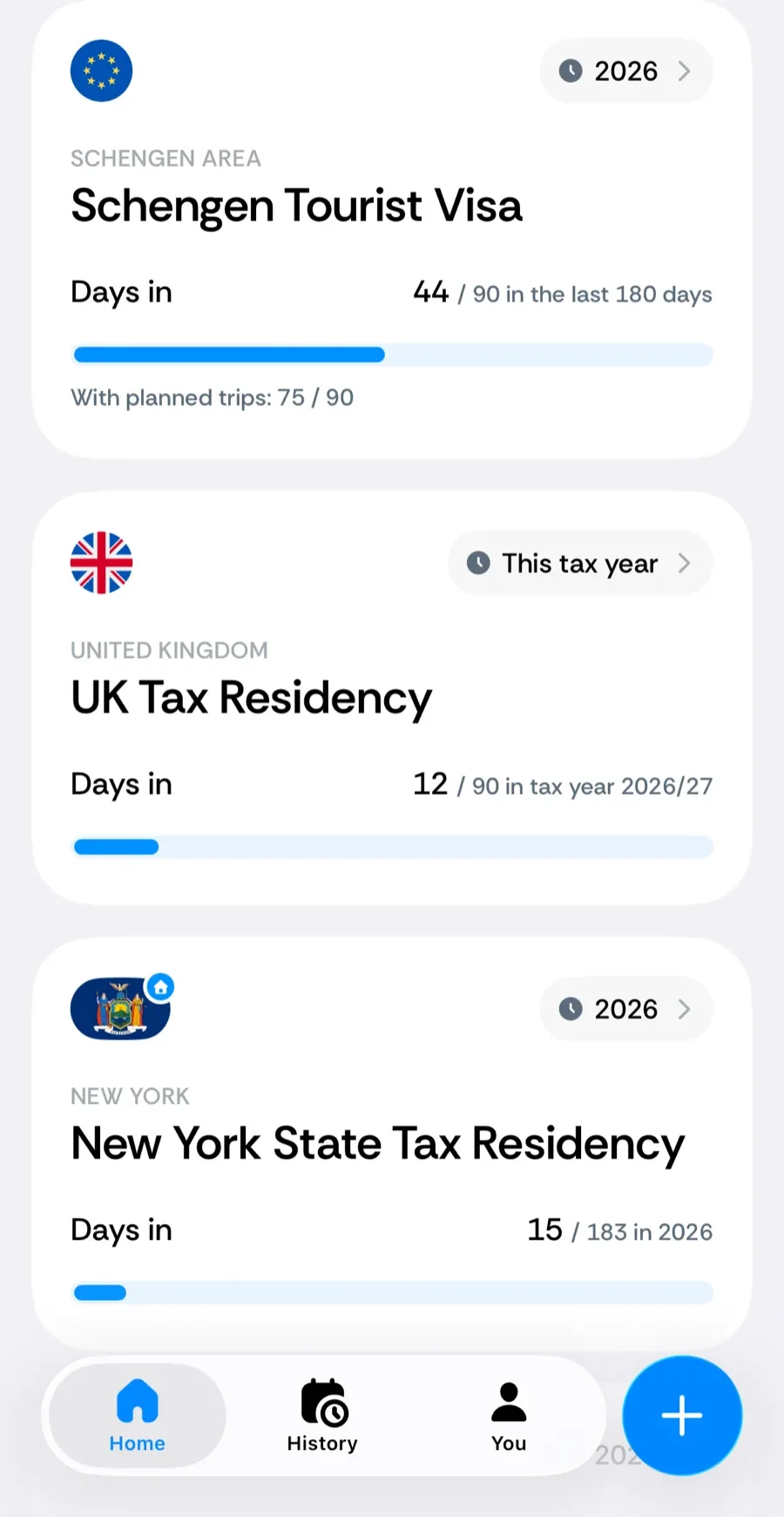
One card per rule you track — Schengen 90/180, a 183-day tax rule, a residence-permit absence cap. Each card shows the days used against the threshold and a progress bar; tap it for the breakdown of exactly which days and trips contribute.
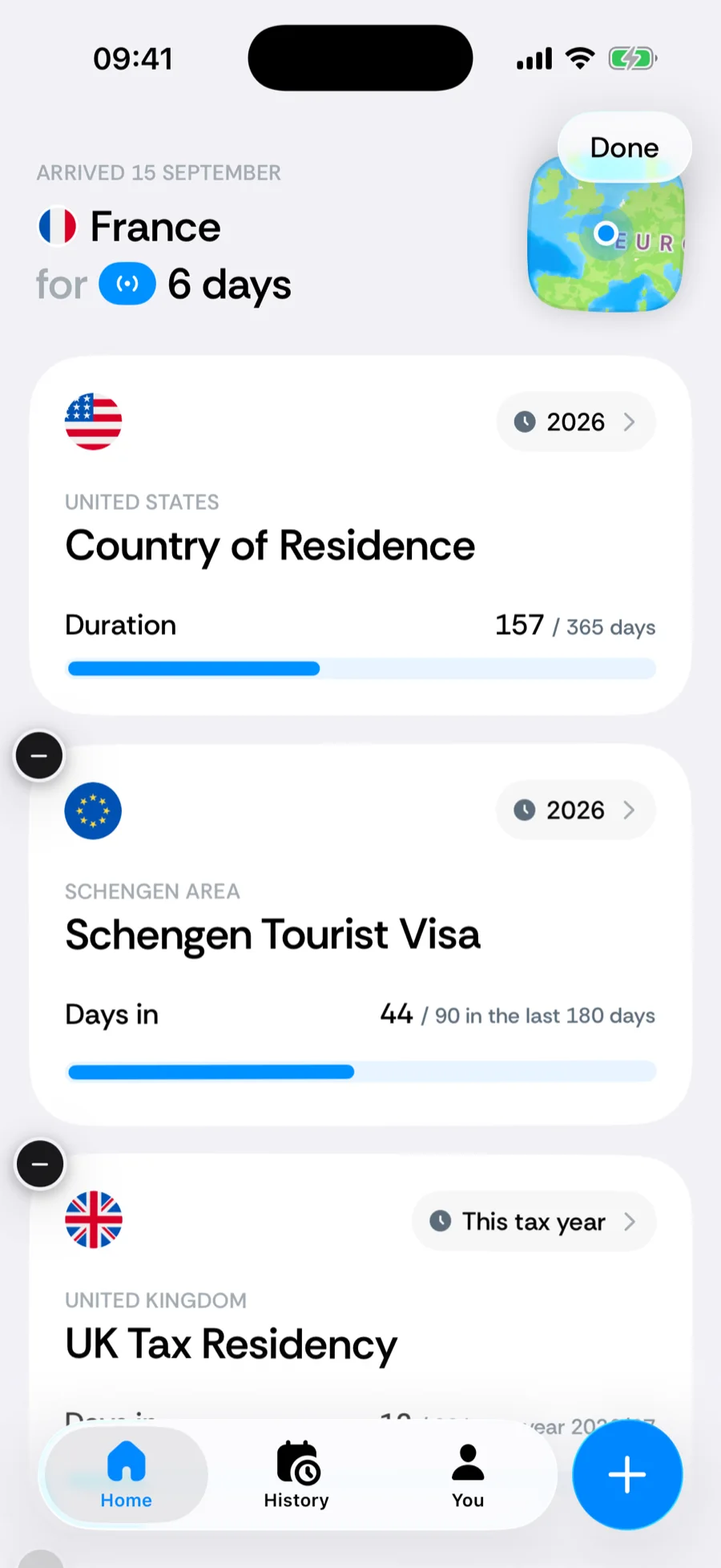
- Reorder or remove — long-press any counter card and the cards start to jiggle. Drag a card to a new position, or tap its − badge and confirm to delete it. Tap Done when you are finished. Details in edit, reorder, or delete counters.
- Edit — open the card and tap the edit button in the breakdown’s toolbar.
- Add — tap the + in the tab bar and choose Add a counter (iOS 26 or later; see the quick-add menu). Until you dismiss it, Home also shows a Track the rules that matter card with two suggested counters for your home base and a Browse all counters link into the full catalog.
Periods
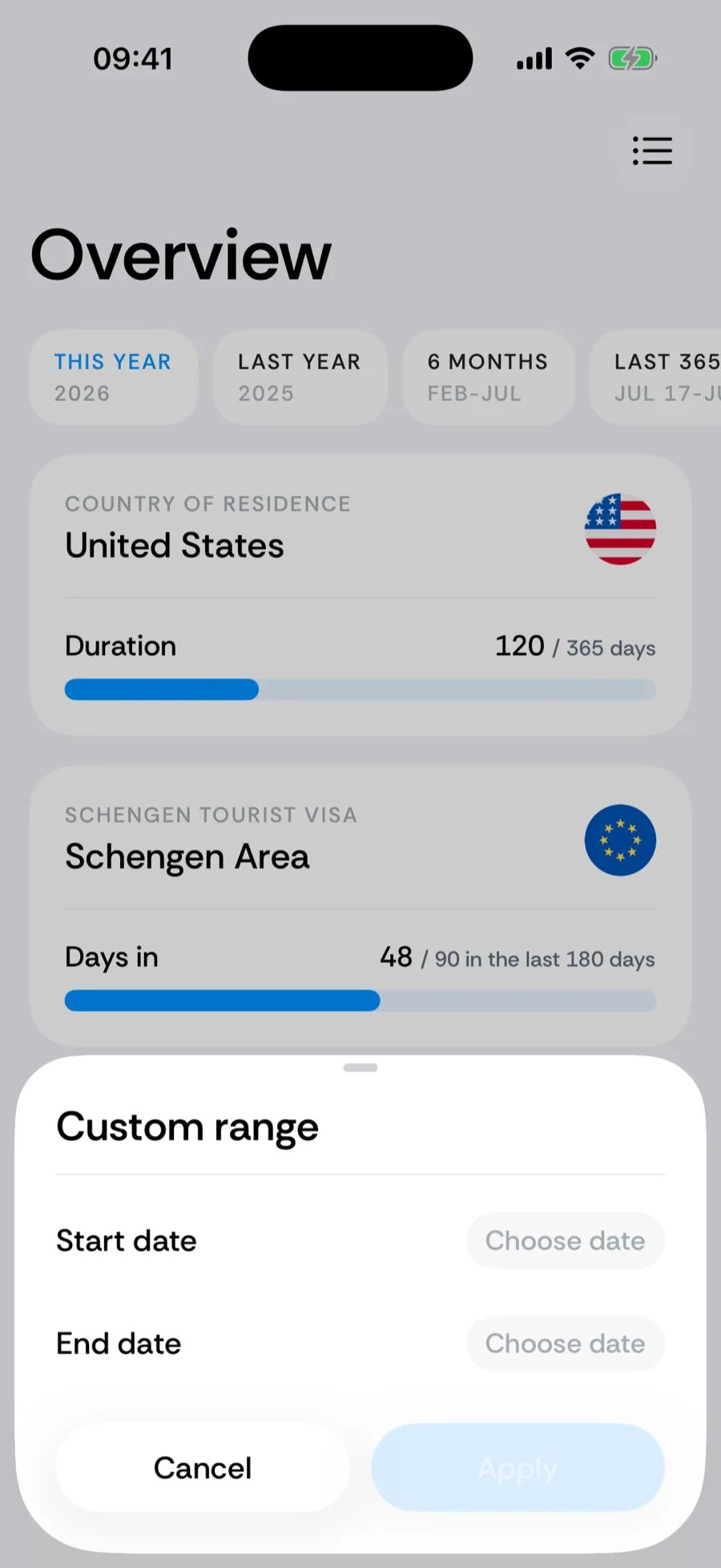
There is no single date range for the whole screen. The residence card, every counter card, and Your top each carry a period chip with All time, This year, Last year, Last 6 months, and Custom range for any start and end date. Counters that run on a tax year (the UK’s April 6, Australia’s July 1) swap the calendar-year pair for This tax year and Last tax year.
Your top
The countries you spent the most days in during the chosen period, with the day count for each. Tap one to open its country detail.
Review uncertain trips
When the photo scan had to guess — a stay carried forward for two weeks without a photo, or a trip resting on a single photo — Home shows a Review N uncertain trips banner with Review now. Each item is a yes/no question you can fix in place; the × on the banner confirms everything as is. See review uncertain trips. This is available in Bounded 2.1 or later.
Related articles
Can’t find what you’re looking for? We answer every message.
Contact support