


How to edit, reorder, or delete counters
Counters are maintained right on the Home tab: open a card to edit its rule, long-press to reorder or remove cards, and use the + in the tab bar to add more. There is no separate management screen.
Edit a counter
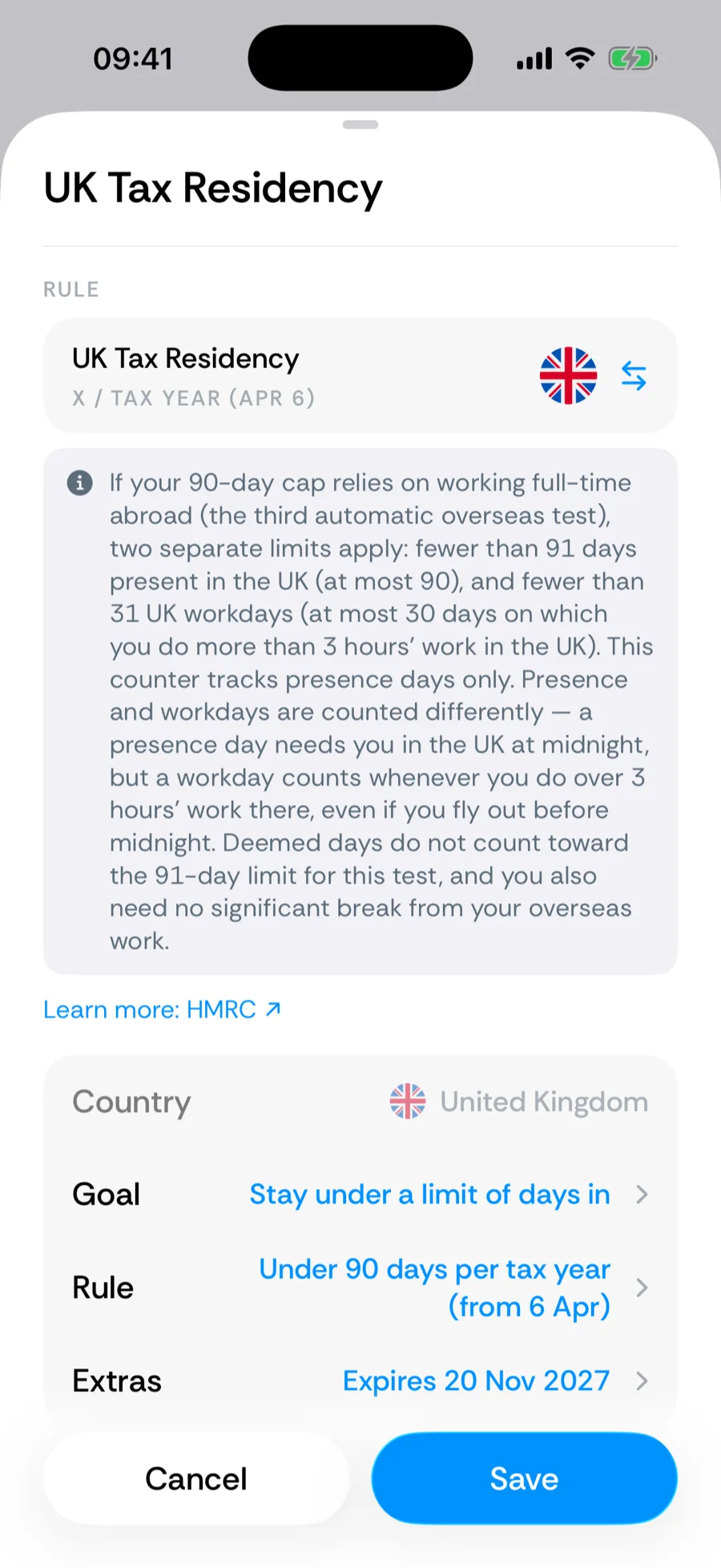
Tap the counter card to open its breakdown, then tap the edit button in the toolbar. The builder opens with the counter’s current settings — rename it, adjust the region or exclusions, change thresholds, or set a start or expiration date. Save, and the card recomputes against your full history.
Reorder
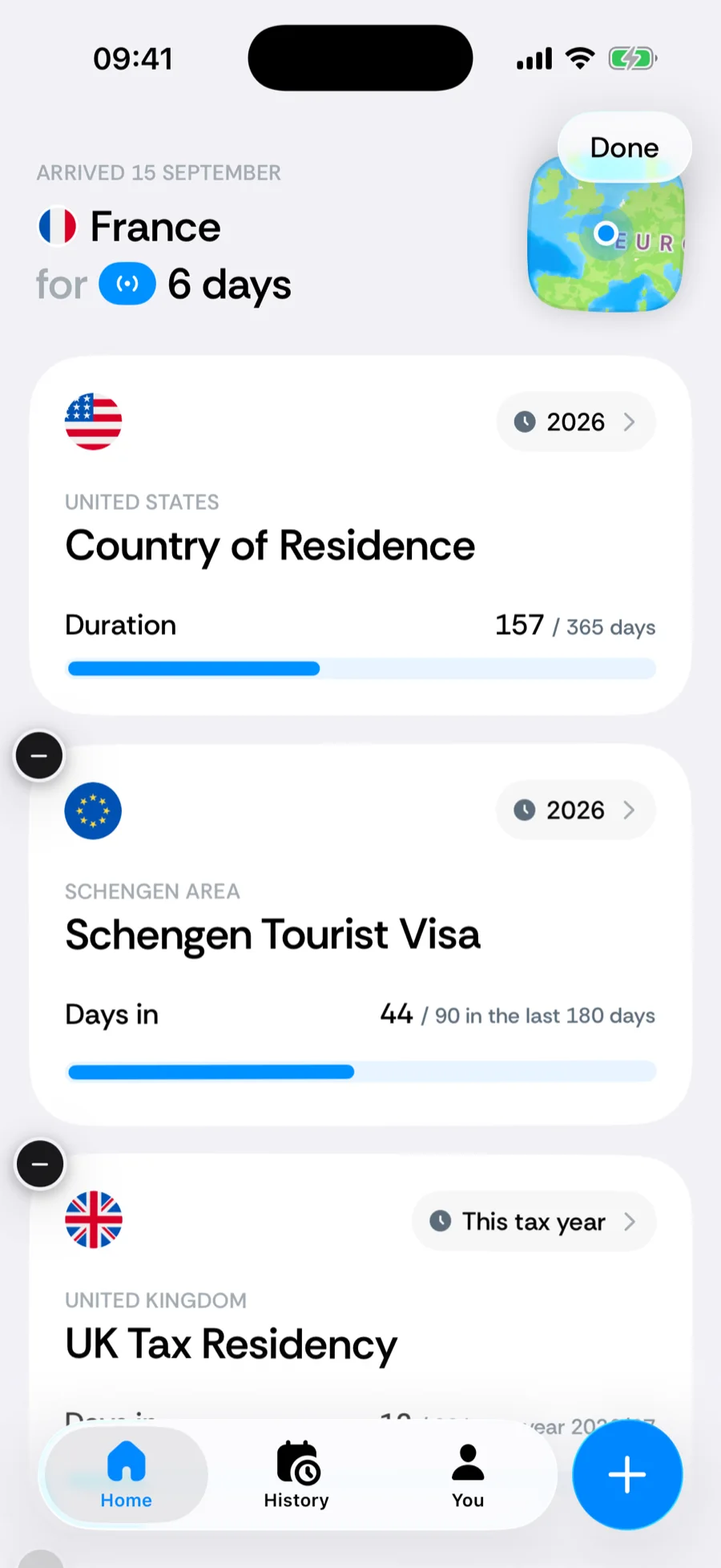
Long-press any counter card. The cards start to jiggle and become draggable — drag a card to the position you want, then tap Done. The Home tab and the Counter widget’s default follow this order. Put the rule closest to its limit on top.
Delete
In jiggle mode, tap the − badge on a card and confirm. Deleting a counter removes only the rule — your travel history is untouched, so re-adding the same counter later picks up exactly where it would have been.
Add
Tap the + in the tab bar and choose Add a counter (iOS 26 or later; see the quick-add menu). The catalog opens with Visa, Tax, and Residency tabs, a Custom row to build your own, and a search field. While the Track the rules that matter card is still on Home, its suggested counters and Browse all counters link get you there too.
Report a problem with a counter
If a built-in counter’s rule looks out of date or its number doesn’t match what you expect, tell us from the app. There are two ways in:
- From the breakdown — open the counter card and tap Report a problem under Something look wrong? at the bottom of the screen.
- From the builder — while adding or editing a built-in counter, tap the … button next to its name and choose Report a problem. Custom counters don’t have it: their rule is your own.
Pick what looks wrong — The rule or limit is wrong, The number doesn’t add up, Some of my trips are wrong, or Something else (the builder offers only the first and the last, since a counter being set up has no number yet) — describe it in a sentence or two, and tap Send report. A real person checks every report against the official rule and fixes the counter for everyone if it’s wrong.
A report carries what you wrote, the counter’s settings (its name, rule, and any start or expiry date, since those change how it counts) and, from the breakdown, the number it showed. It also includes the app version, iPhone model, iOS version, language, time zone, and a random installation ID — never your trips, photos, or documents. Reports are stored in Google Cloud Storage (Firebase) in a write-only bucket the app can never read back from, and are deleted after 180 days. See how Bounded handles your data.
Your residence card
The residence card above your counters shows your country of residence (or Nomad). It is not a counter — it is the baseline your timeline builds on — so it does not jiggle and changes from the You tab’s home-base header.
Related articles
Can’t find what you’re looking for? We answer every message.
Contact support